Academic years, classes and teachers
Prepare the academic year, classes, sections and class teachers before admitting students or entering attendance
The owner or principal sets up Academics under Setup. School years are separate from accounting financial years. Choose the academic year when you work with classes, subjects, marks, attendance and fees; changing it does not change the Books reporting period.
Prepare a year
- Open Academics → Add year. Enter its name, start date and end date. Use the school’s actual session dates, including for a mid-month start.
- In Classes and teachers, choose that year. Add a New class and its sections.
- Check Board rules, report composition and the detected level of the class label. None (school-defined) keeps the school’s own results. CBSE is an explicit choice.
- Assign class teachers to the section. Invite the staff member with the Teacher role first if they are missing from the picker.
- Set the year’s subjects and subject teachers, exams and fee plans.
Classes and sections identify where pupils are enrolled. Teacher assignments belong to a year. Class teachers get their sections’ students, attendance and report assessments, and can enter every subject’s marks there. Subject teachers get only the marks sheets assigned to them. A section can have more than one class teacher.
Choose the active year
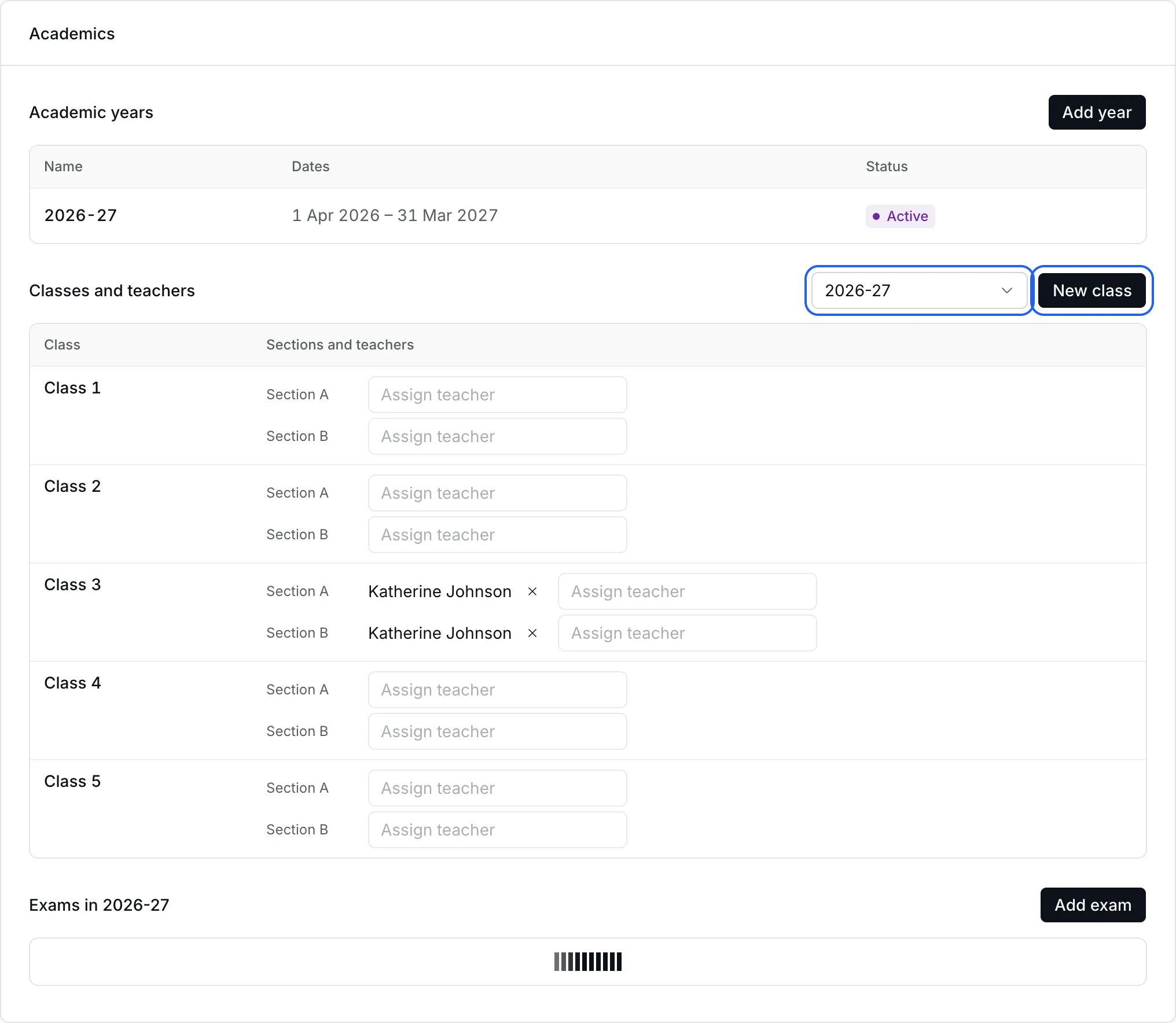
The active year is the default for School Home, attendance and fees. It does not move students, copy plans or promote anyone. Change it when the school starts the new session, after checking the readiness list in Promote students.
Older years remain available in year selectors. Read the selected year before changing a teacher, entering marks or billing fees. To move pupils forward, open ⋯ → Promote students on the destination year’s row.
Change setup safely
Edit the year or class from its row actions. Records already in use can prevent deletion. A subject maximum or assessment scheme is fixed once marks exist; a published result also protects the class’s subjects. Use the message shown to find the record that must be kept or corrected.
After copying a prior year’s teachers, check who still teaches each section and subject. A teacher who left or no longer has that role is skipped. Removing an assignment changes the teacher’s access to the affected records.
See Students and families to enroll a pupil and Report cards to prepare the report composition.