CBSE subjects and extras
Use optional class starters, confirm catalogue matches and record each pupil’s additional subject
- Open Academics → New class. Enter its label and sections. Leave Board rules as None (school-defined), or choose CBSE for Class IX–XII pass rules. Labels such as 10th or XII Science show the detected class level; correct an unreadable label before saving.
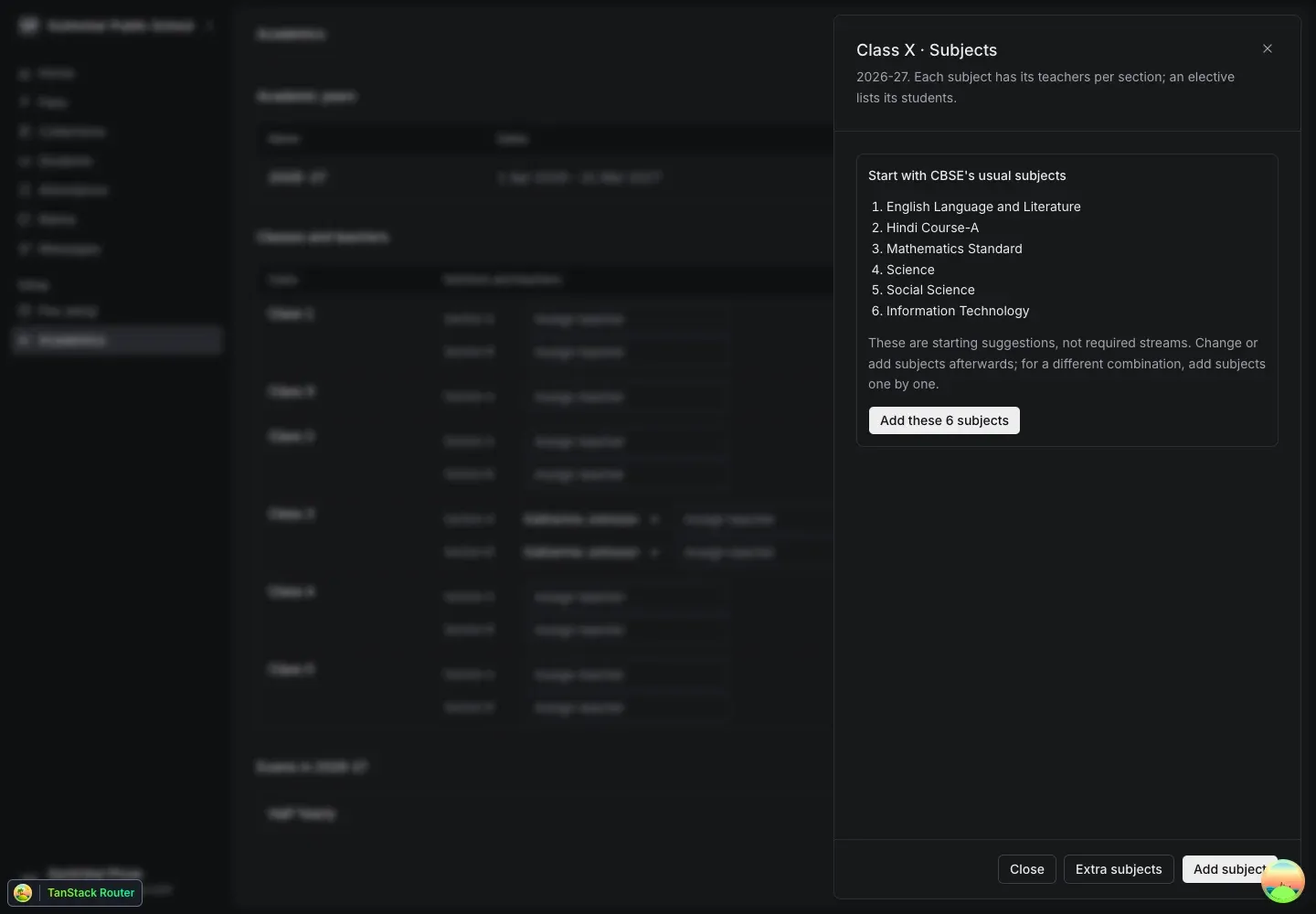
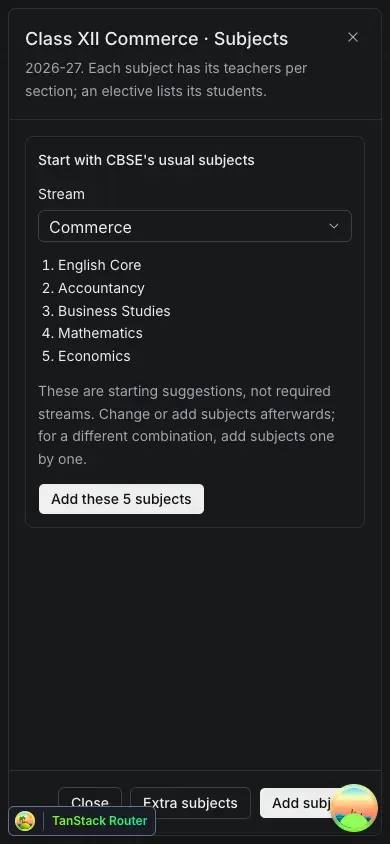
- On the class row, open ⋯ → Subjects. For CBSE X, use the suggested list. For XI/XII, choose Science, Commerce, Humanities or Custom combination.
- Click Add these subjects, or Add subject to choose each one. Check the list against the school’s registration records before entering marks.
- Assign the teachers. For a subject only some pupils take, mark it Elective and choose those pupils. Set the exam’s assessment parts before entering marks.
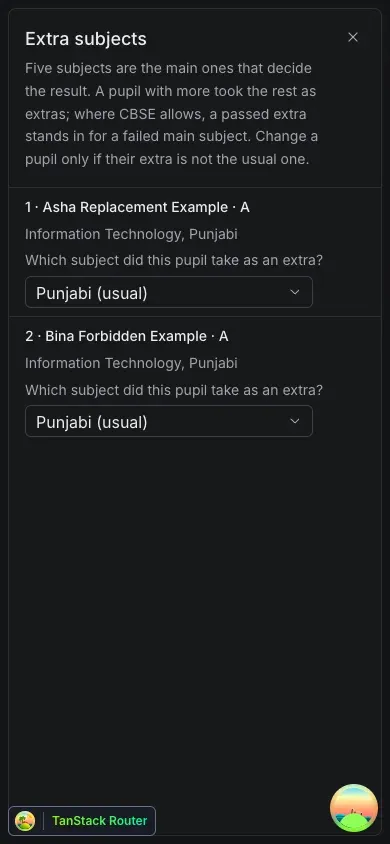
- Open Extra subjects only for pupils who took extras. Keep the usual answer unless their registration record shows a different extra.
School-defined classes use your own subject names and school reports. They do not make a Board pass or replacement decision. CBSE is an optional setup aid; Science and Commerce are suggestions, not compulsory subject combinations. CBSE Class IX shows the school’s Pass / Not passed result at 33% in each subject, without replacements. The principal saves the promotion decision.
Match an existing CBSE subject
An older name such as Eng. Core can stay. Click Match to CBSE subject, choose English Core and save. Matching keeps its marks and teachers. The confirmed code, rather than the spelling, determines which CBSE rules apply. An unmatched or wrong-stage subject blocks CBSE X/XII publication with an instruction to match it or mark it as the school’s own. School-owned subjects print without deciding the Board preview. The picker starts empty; choose a subject yourself.
Record a pupil’s extra subject
In a CBSE class’s Subjects sheet, click Extra subjects. Only pupils with extras appear. The usual extra is already selected. Answer Which subject did this pupil take as an extra? only when their registration record differs. The change saves at once. Fixed extras, such as Class X’s skill subject, need no answer.
Class X allows a passed skill subject to replace one failed Mathematics, Science or Social Science subject. A passed extra language can separately replace a failed language if Hindi or English remains passed. Painting and other academic extras cannot replace a failed Class X subject. XII counts the first five registered subjects; a permitted sixth may replace one failed main subject only while the language conditions still hold. Internal assessment subjects do not form that sixth subject. Official sources conflict on a sixth skill subject. Edernal prints it as additional, but it cannot replace a failed main subject or change the main-five result.
Check assessment parts before marks entry. A saved total cannot be split automatically. See report setup and school and Board outcomes.