Elective students and pick-one groups
Choose who takes an elective, resolve pick-one conflicts and correct selections when marks already exist
An elective lists the students who take it. Its sheet in Marks lists only them.
Pick-one groups
Some electives are alternatives: a student takes one of them. Give those electives the same Pick-one group (optional), for example “Second language” or, at Gulmohar, “Skill subject” for class 5’s Computer Education and Drawing. The subject then reads “Elective · pick one of Skill subject · out of 100”.
A student takes at most one subject of a group. They may take none for now, so you can fill one subject’s list at a time. Making a subject compulsory clears its group.
Choose who takes an elective
Open the checklist
On the elective in the Subjects sheet, click Choose students (or the count, such as 4 students, once some are chosen).
Tick the students
Who takes Computer Education lists the class’s current students for the year, grouped by section, with roll number and name. The line at the top counts them, for example “4 of 8 students”.
Save
Click Save. The message “4 students take it” appears. Save replaces the list: anyone you untick no longer takes the subject.
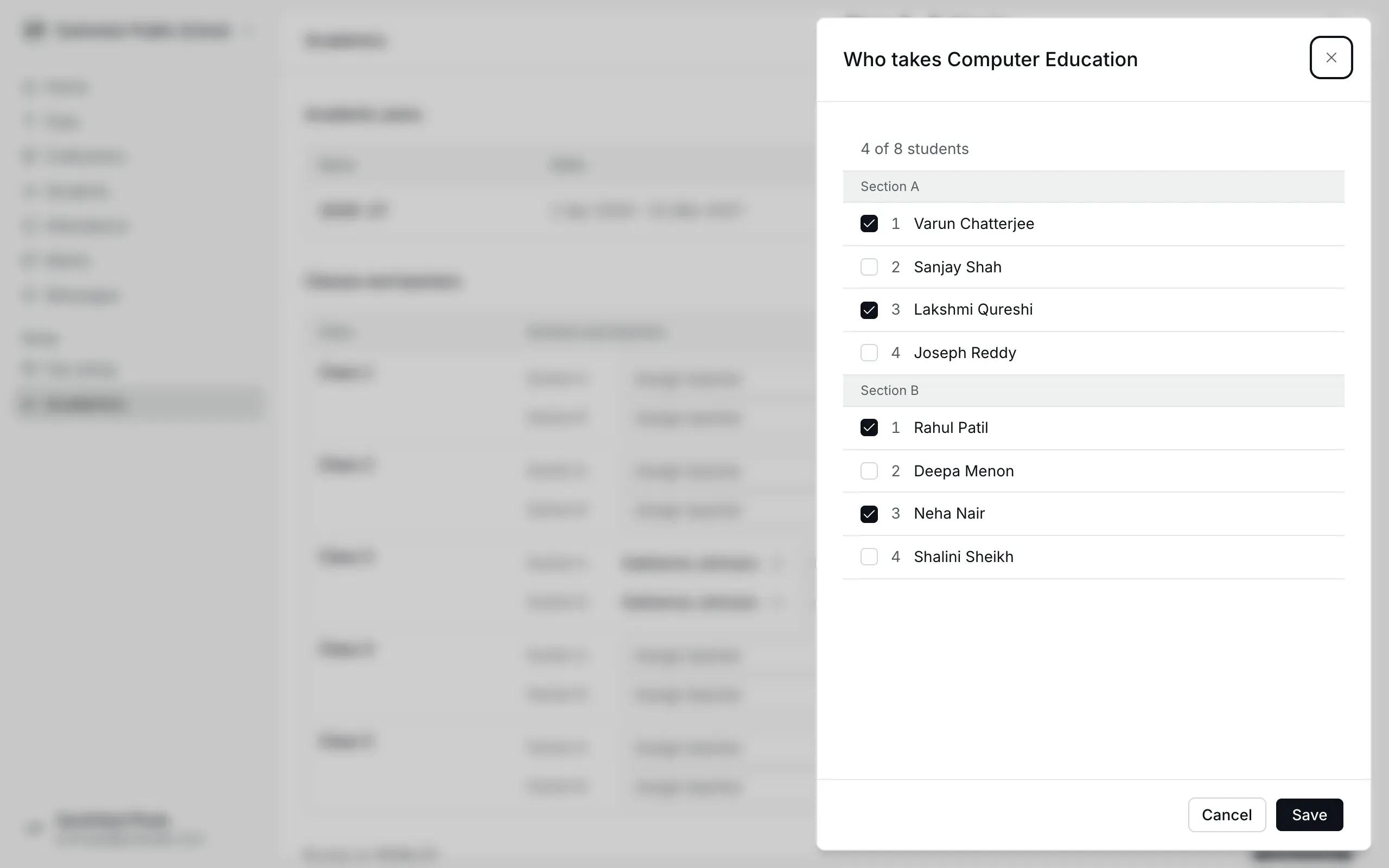
In a pick-one group, a student who already takes another subject of the group shows “takes Drawing” beside their name and their tick is disabled. Untick them from Drawing first.
You can change ticks at any time, also after an exam is published. A mark already saved stays and still shows on the result. A change affects only sheets still to be entered. If a mark was saved for a student ticked by mistake:
- before the result is published, clear it on its sheet (see Clear a saved mark);
- after publishing, the principal removes it with Not taken: remove this mark (see Correct a published mark).
A student who leaves the class keeps their electives as that year’s history. The checklist does not list them.
If a checklist reports that the class changed, open it again and review the current roster. See marks corrections for published marks.