Certificate duplicates and corrections
Replace a lost certificate, correct a draft or cancel and reissue a certificate with wrong values
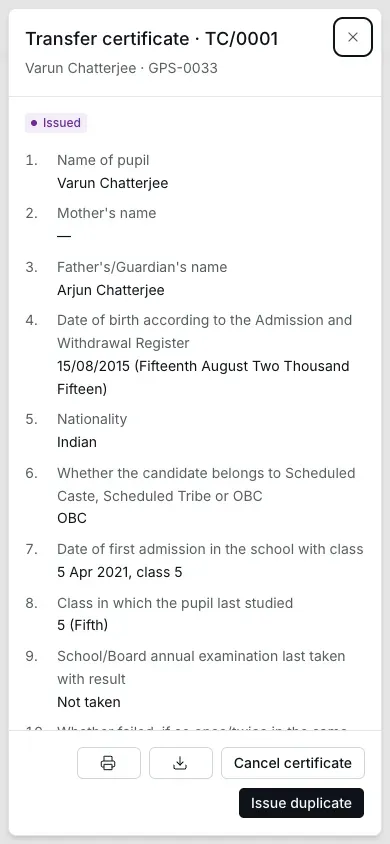
When a parent has lost the TC, the principal opens it and clicks Issue duplicate, with the reason. The duplicate has the same number and the same values, is marked DUPLICATE with today’s date, and is listed on the student’s Certificates tab with who issued it.
Undo a mistake
- A draft: click Edit to change it, or Delete to remove it. A deleted draft uses no number.
- An issued certificate with a wrong value: the principal clicks Cancel certificate with the reason, fixes the record, and prepares a new one. Cancelling a TC also cancels its duplicates. The cancelled number stays on the student’s tab and never prints again; the new certificate takes the next number.
A student with certificates cannot be deleted; redact the student instead.
A duplicate keeps the original issued values. To change those values, cancel and prepare a new transfer or bonafide certificate.