Exams and marks
Find your marks sheets, check teacher access and choose the next exam task
An exam, such as Half Yearly, is sat by every class of the year. Teachers enter its marks one sheet at a time: one subject in one section, for example “3 A · Science”. The principal watches each class’s result fill up, and publishes it once marks, required report assessments and result checks are complete. A published result is final: a mark then changes only by a correction with a reason.
Who can do it: your role decides this.
| Role | What they do here |
|---|---|
| Owner, Principal | Add, rename and delete exams, enter any sheet, read every class result, publish, correct published marks |
| Teacher | Enter the sheets of the subjects and sections assigned to them |
| Teacher who is a class teacher | Also enter every subject’s sheet of their own section |
| Front office | Read every class result; cannot enter, publish or correct |
Teachers do not see class results. Subjects and their teachers are set first, in Subjects and electives.
The Marks page
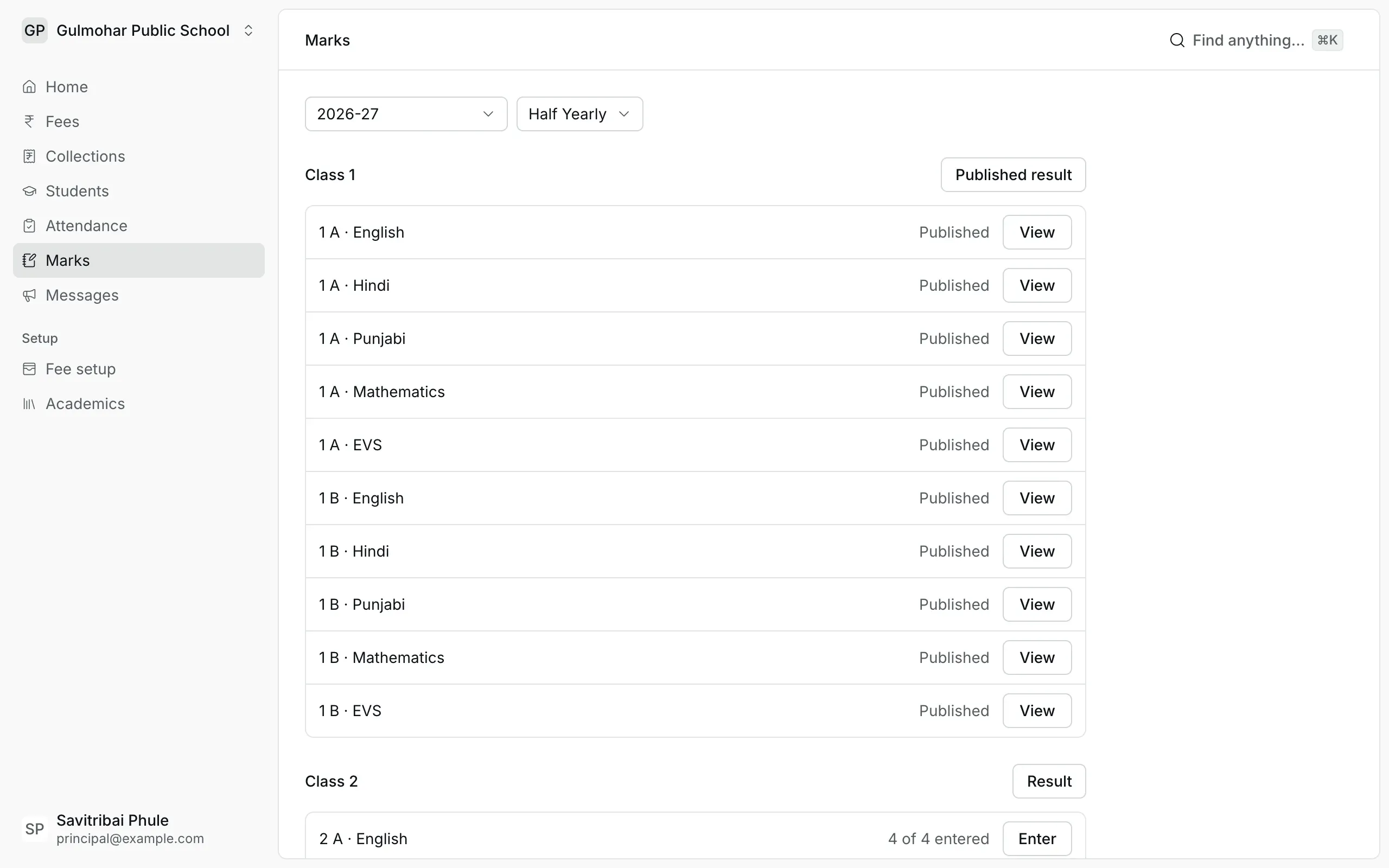
Open Marks in the sidebar. Choose the year and the exam at the top. What you see depends on your role:
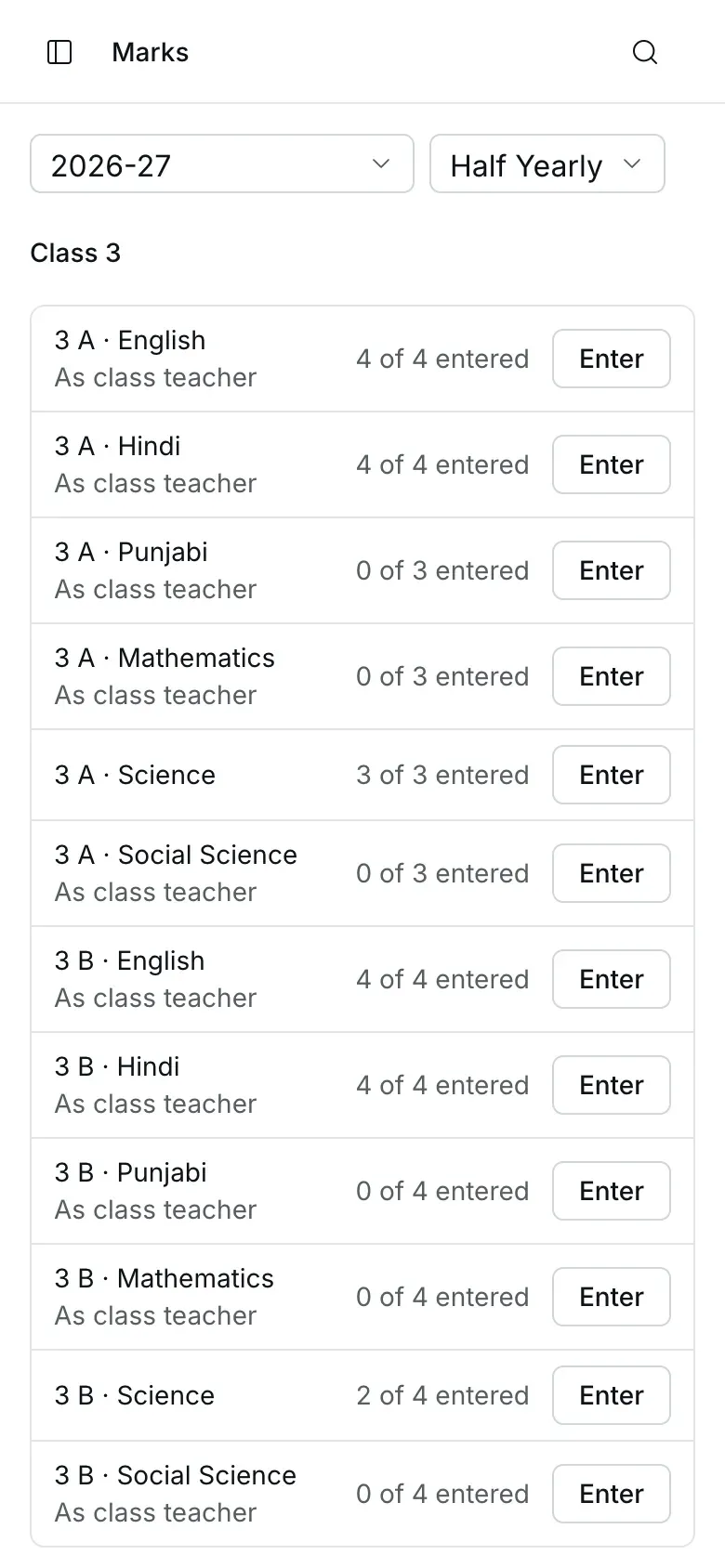
- A teacher sees their own sheets, grouped by class: “3 B · Science” with “2 of 4 entered”, or “Published” once the class is published. A sheet they hold only as the section’s class teacher reads “As class teacher” under its name. Click Enter to open a sheet, or View once it is published.
- The principal or owner sees every sheet of every class, and a Result button on each class (Published result once it is published).
- The front office sees each class with its Result button, and “Published” or “Not published yet”.
A teacher with no subjects and no class teacher section in the year sees “No subjects are assigned to you in this year.” A year with no exam reads “No exams in this year yet. The principal adds them in Academics.”
Who can enter which sheet
| Person | Sheets they can enter |
|---|---|
| Subject teacher | Their subject, in each section they are assigned to for that year |
| Class teacher | Every subject of their section for that year |
| Principal, owner | Every sheet |
At Gulmohar, the teacher teaches Science in class 3 and is class teacher of 3 A and 3 B, so they can enter every class 3 sheet. Class teacher access follows the class teacher field in Academics: when the principal changes a class teacher, the sheets move with it.
Choose a task: add an exam, enter marks, read and publish results or correct published marks.