School circulars
Choose the recipients and language, review a general announcement and send it to primary guardians
School messages reach primary guardians on WhatsApp. The owner and principal send school-wide, class or section circulars. Class teachers send circulars only to their assigned sections. The front office reads messages and sends fee reminders from Fees; it cannot send a circular.
When paid plans start, sending circulars to each parent on WhatsApp is off unless the school asks for it; then 1,000 circular sends cost ₹1,199 before GST. Each parent number a circular is delivered to counts once. Circulars never use the parent-message allowance. The pilot does not enforce plan limits.
Send a circular
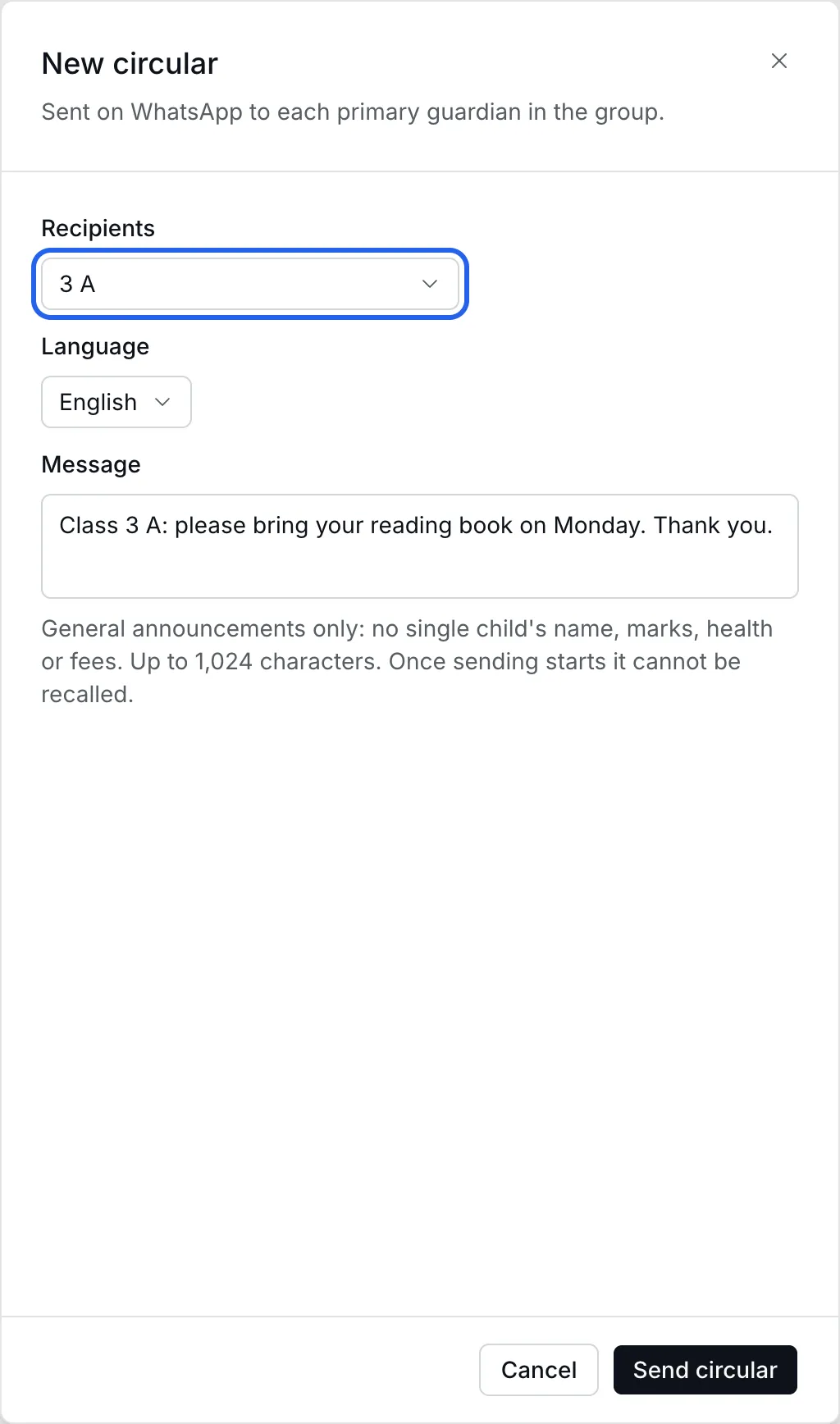
- Open Messages → New circular.
- Choose Recipients: whole school, a class or an available section. Check the group before sending.
- Choose Language, then write the announcement, up to 1,024 characters.
- Read it once more and click Send circular. The delivery page opens.
Use circulars for general announcements. Do not include a child’s name, marks, health or fees in a group message. Once sending starts, a message cannot be recalled.
If no sections appear, ask the principal to check the active year and your class-teacher assignments.
Then check message delivery.