Collect fees and advances
Take a split payment, check allocation to oldest dues and print a School collection receipt
The owner, principal or front office collects fees. Check the pupil and guardian before recording payment.
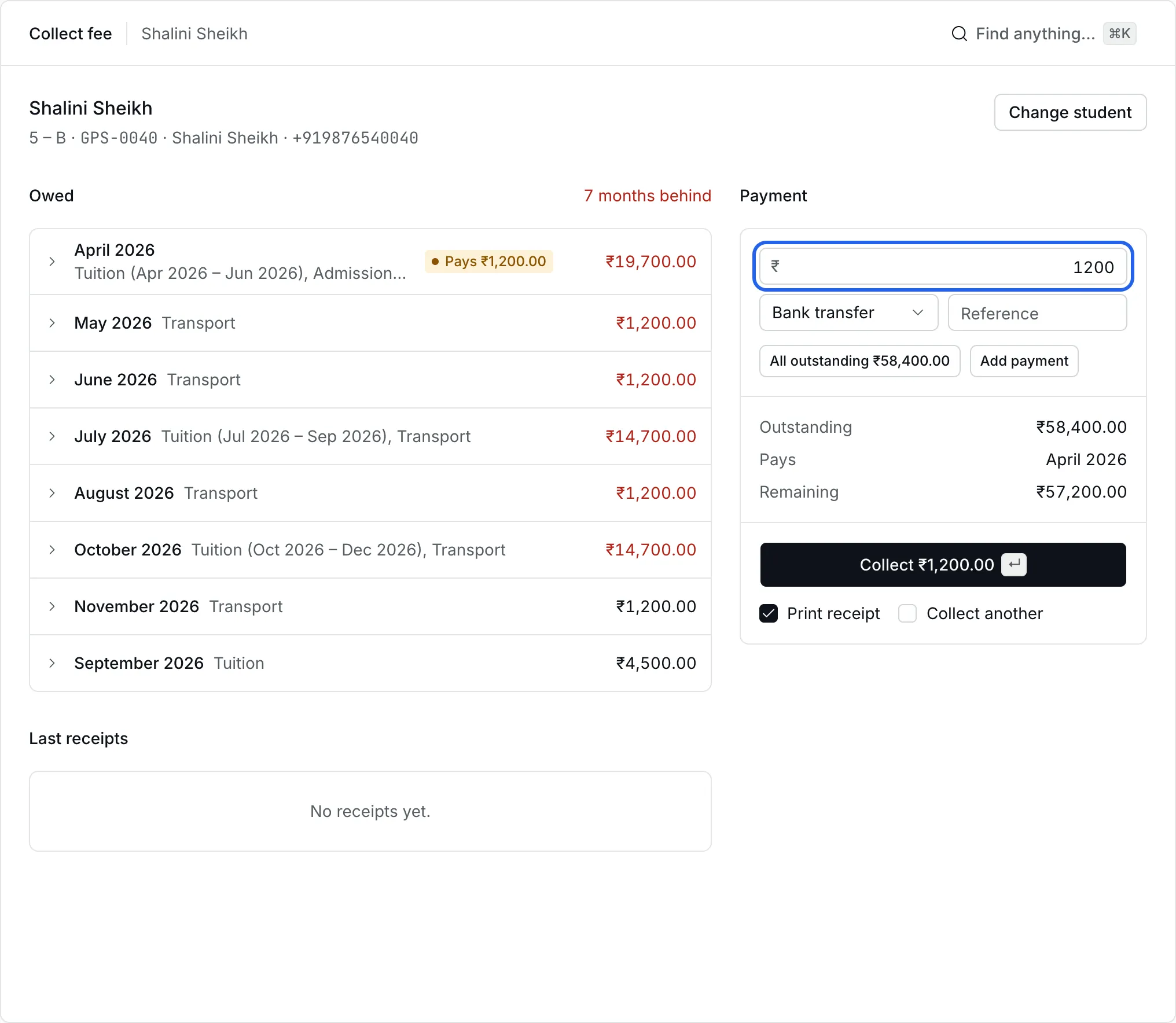
Collect a payment
- Open Collect fee. Find the student by name, guardian, admission number or phone. Check the name, admission number and family before taking the payment.
- Read Owed and the recent receipts. Enter the amount, payment method and reference. Use Add payment to split cash and UPI or another method in the same collection.
- Check Pays, Remaining and Held as advance. Money pays the oldest dues first; any excess stays as that student’s advance. On a part-paid bill, fee types clear in the order set on Fee setup → Fee types, and Owed and the receipt show the split.
- Choose Print receipt and, for counter work, Collect another. Click Collect. A split collection has its receipts together on one collection slip.
The receipt names the student, class, roll number, admission number and primary guardian, leaving out any the student does not have. The accountant’s receipt voucher in Books shows the same details. For a redacted student, School’s fee receipt prints no name or guardian.
If no payment method is available, ask the Books accountant to add an active method in Banking. A collection is dated today. Use Collections to find and print it again and to check collection totals for a date range. A reprint names the same fee types as the first print, even if the order on Fee types has changed since. A collection from before November 2026 works its fee types out again each time it prints.
If the save result is uncertain, inspect Collections before entering it again. A second collection would record more money. Do not also enter a Books receipt for the same School collection: its receipts are already in the books.
For a wrong collection, use Void. Review remaining dues in Fees.