Report setup and assessments
Choose a composition and display style, complete report assessments and resolve publication checks
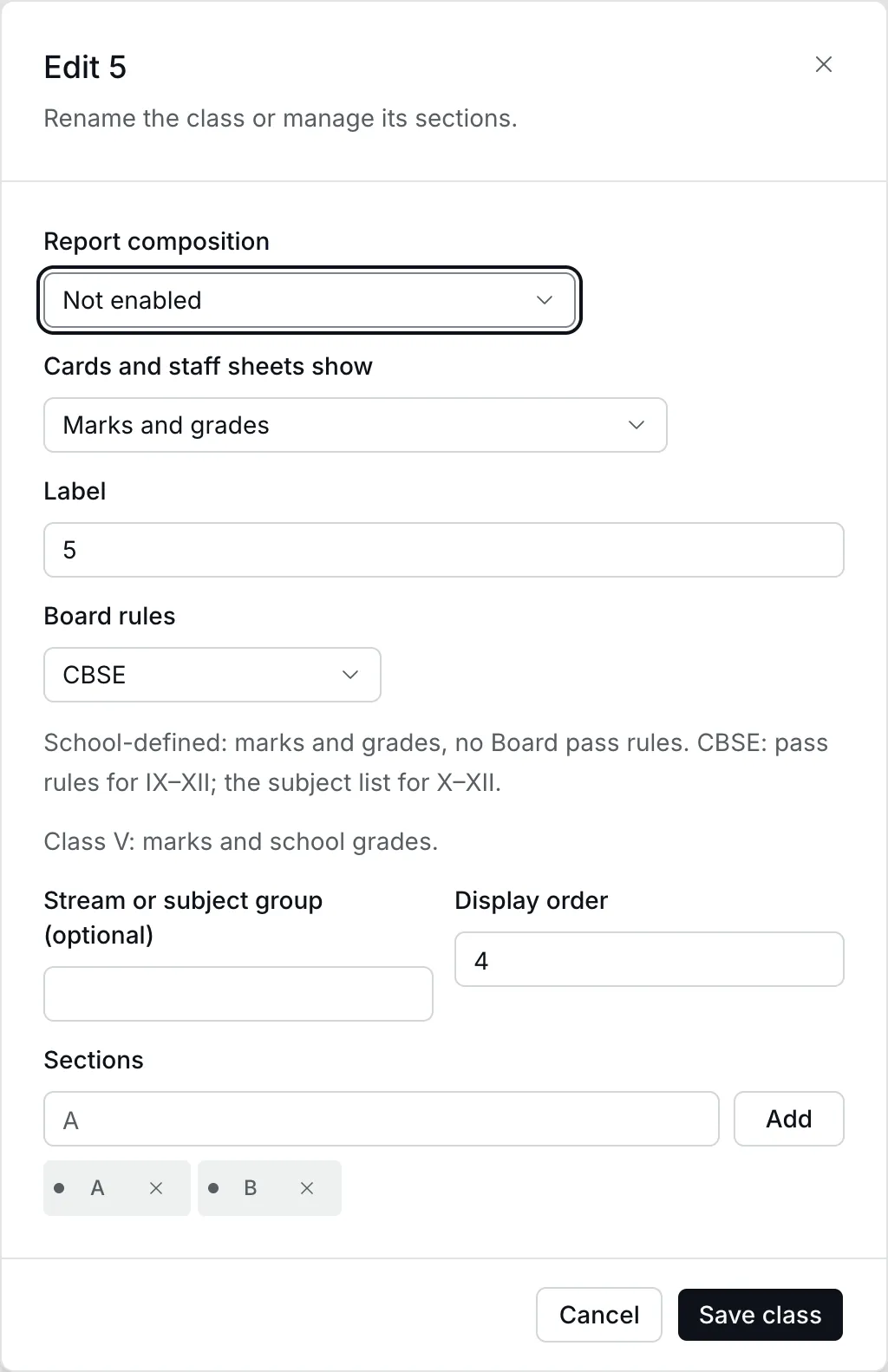
- In Academics, edit the class. Choose its Board rules and report composition.
- Open the class’s Subjects for the year. Check the subjects, electives and maxima. If the composition needs assessment parts, set them before entering any marks.
- Choose Cards and staff sheets show: marks and grades, marks only, grades only, or marks and grades with a school total and percentage.
- Add the year’s exam, then enter its marks and report assessments.
| Composition | What to prepare |
|---|---|
| Scholastic | Taken numeric subjects and a teacher remark |
| Primary | Four /5 parts and an /80 exam per subject, eight co-scholastic grades, seven personality/social grades and a remark |
| Early years | Six learning observations with next steps and a remark; no numeric total |
| Senior | XI/XII subjects and their assessment parts, extra subjects and a remark |
A composition lays out the card. It does not choose the Board rules. A school-defined class records marks and school grades without a Board pass or replacement decision. Select CBSE explicitly to use the supported IX–XII rules. Check the detected class level before saving a class label such as XII Science.
For a CBSE subject, confirm the catalogue match and each required Component: Theory, Practical or Internal assessment. A saved total cannot be split into parts for you. If publication names a missing part or unmatched subject, fix the named subject in Academics. Subjects and electives explains matching, starters and Extra subjects.
Complete report assessments
In Marks, choose the year and exam, then open Report assessments for the section. Enter the grades or observations the composition asks for, and a teacher remark for every pupil. Save the sheet. Before publication, Clear assessment removes values entered in error.
The owner or principal opens the class’s Result. Resolve the listed missing marks, report assessments and setup issues, then Publish. A leaver’s taken subject with no mark needs review too: enter its mark or Absent before printing the card.
For an older published result without report assessments, first select a compatible composition on the class. On its result, use Enable report assessments, then complete the values with correction reasons. This cannot turn published numeric marks into an early-years descriptive report.