Banking
Your cash boxes and bank accounts, their balances, and the payment methods that post to them
Banking lists where your money is kept and the ways it moves. A money account is one cash box or one bank account. A payment method is a named way money arrives or leaves, such as UPI, NEFT or Cash, and each method posts to one money account. UPI and NEFT are the instant-mobile and bank-transfer systems Indian banks use.
On a receipt (money in) or payment (money out) you choose only the method. Edernal Books then debits or credits the account behind it (debit and credit are the two equal sides of every entry). So set up one account for each real bank account, then one method for each way money reaches it.
Who can do it: an Owner or Accountant (see roles) adds accounts, adds methods and marks methods inactive. A Chartered Accountant can see the page and its balances. An Operator does not see Banking, but chooses methods on receipts and payments.
Read the page
Open Accounting → Banking. The page has two tables.
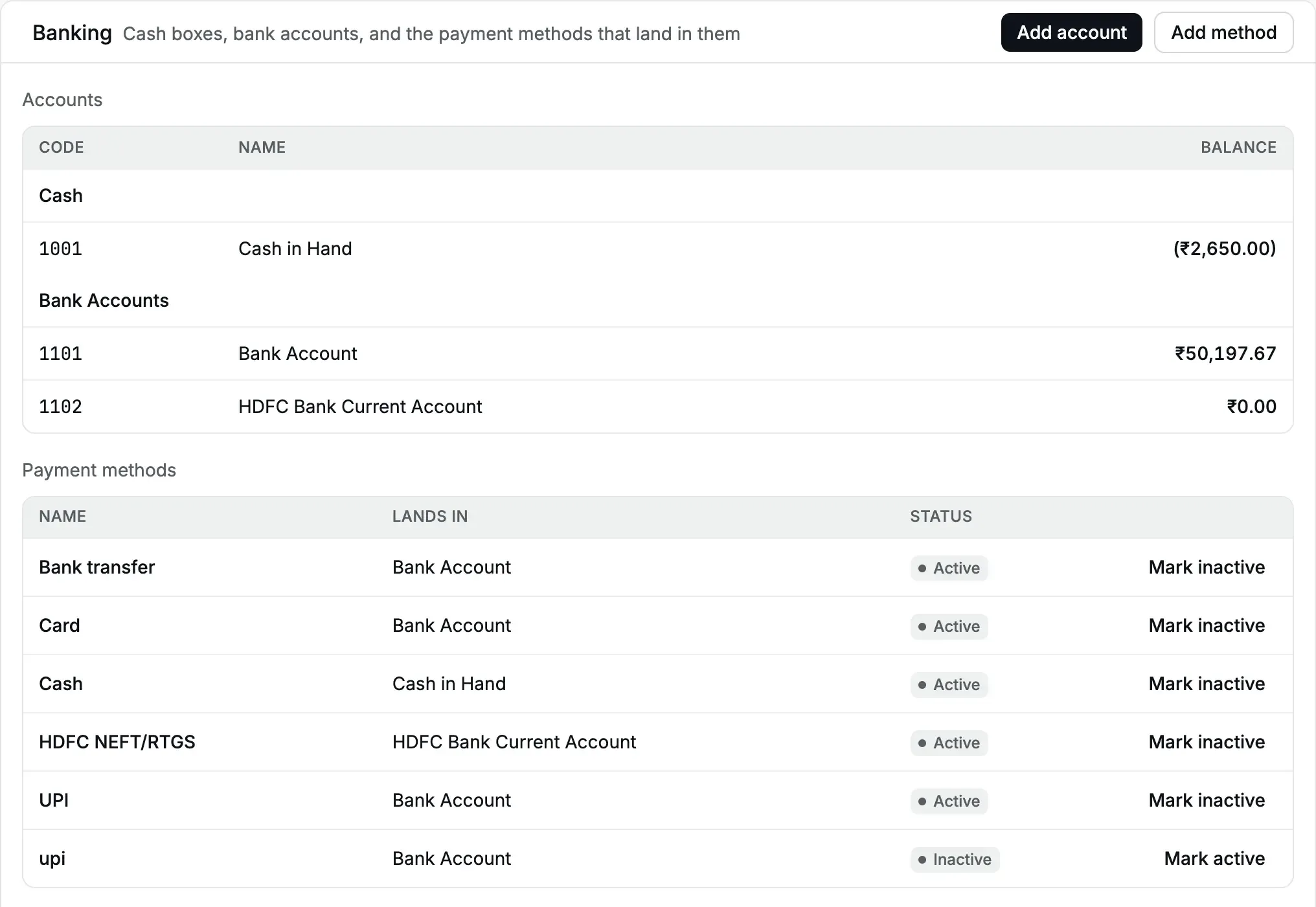
Accounts lists every money account under its group, Cash or Bank Accounts, with its Code, Name and Balance. The balance is the sum of every posted entry to that account dated through today in your organization’s time zone, matching the balance sheet as of today. Future-dated entries count only when their date arrives; you can still post them without a warning. It is the book balance, not your bank statement: cheques you have recorded but the bank has not cleared are included. A balance in brackets, such as (₹2,650.00), is a credit balance, or overdrawn: the books show more paid out than received. For cash that means an entry is missing or wrongly dated.
Payment methods lists each method with the account it Lands in and its Status:
| Status | Meaning |
|---|---|
| Active | Offered on receipts and payments |
| Inactive | Hidden from new receipts and payments. Past documents keep it |
| Account inactive | The method is active but its account is inactive, so posting with it is refused. Reactivate the account in the chart of accounts |
A new organization starts with Cash in Hand (1001) under Cash, Bank Account (1101) under Bank Accounts, and the methods Cash, UPI, Card and Bank transfer. To give Bank Account your bank’s name, rename it in the chart of accounts.
Add a bank account and its method
Cedar Components opens a current account with HDFC Bank and receives customer NEFT and RTGS payments there.
Add the account
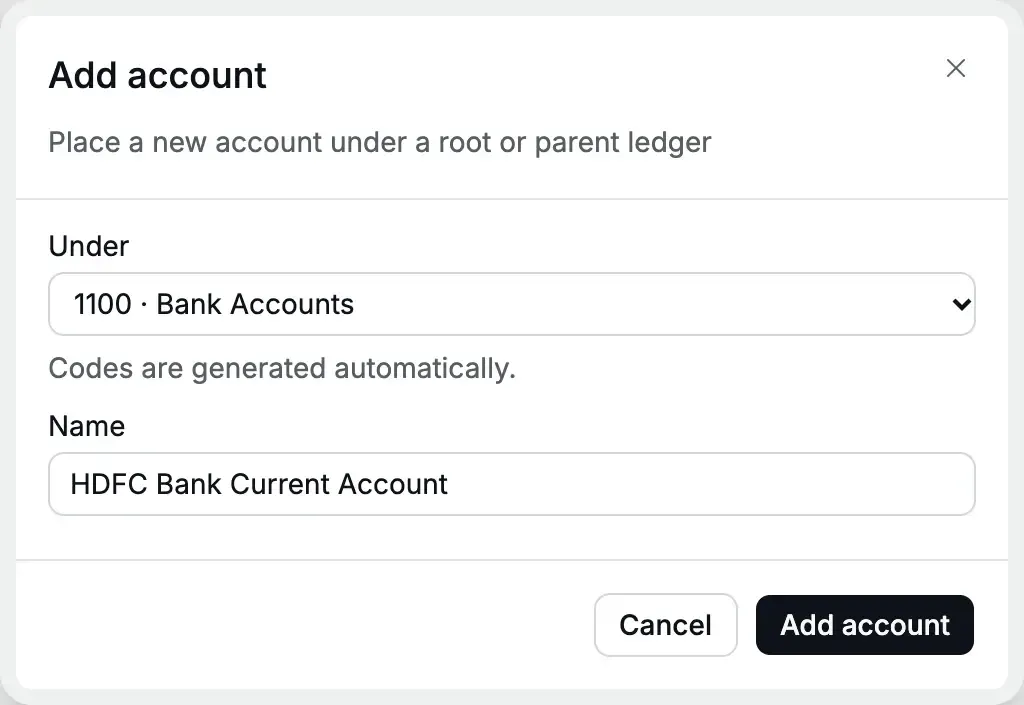
Click Add account. Under starts on Bank Accounts; choose Cash for a cash box instead. Type the Name, for example HDFC Bank Current Account. Include the last four digits of the account number if you have more than one account with a bank.
Save the account
Click Add account. Edernal Books gives it the next code in the group, here 1102, and opens Add payment method straight away.
Name the method
Lands in already shows the new account. Type the method’s Name, for example HDFC NEFT/RTGS.
Save the method
Click Add method. You see “Payment method added”. Both rows now show on the page, as in the first picture, and the new account’s balance is ₹0.00.
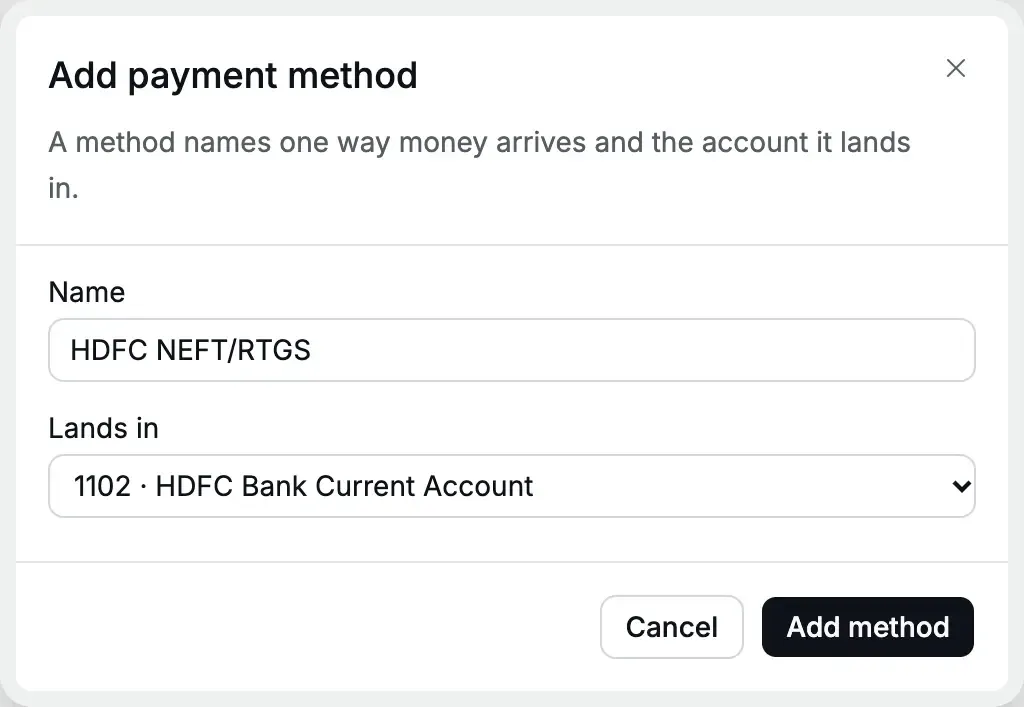
To add another method to an existing account, for example HDFC cheque, click Add method and choose the account in Lands in. Only active accounts are offered. A receipt or payment form offers Add one under Payment method only when no active method exists at all; otherwise add methods here on Banking.
Method names must be unique ignoring case and surrounding spaces: upi cannot be added beside UPI. A method name cannot be changed after you save it.
To rename a cash or bank account, open it in the chart of accounts. The account’s code, payment methods and entries stay the same.
Opening balance of a bank account
A new account starts at ₹0.00. Bring in the balance on your cutover date with the Opening balance, the balances you start with. Do not post a receipt for it: a receipt would count the old money as new income or a new advance.
Mark a method or account inactive
To stop using a method, click Mark inactive on its row. It disappears from new receipts and payments. Click Mark active to bring it back.
To close a bank account:
- Move any remaining balance to another account with a Journal (a manual entry; one between money accounts is a contra entry), so the closed account shows ₹0.00.
- Mark every method that lands in it inactive.
- In Chart of accounts, open the account and click Mark inactive. While an active method still uses it, this is refused with “This account is used by the active Payment Method “…”.”
The account stays on Banking with an Inactive badge and its balance.
What happens in the books
A method is a shortcut, not an account. When you post a receipt of ₹20,000 by HDFC NEFT/RTGS from a customer, the journal entry is (Accounts Receivable is the control account for what customers owe):
| Account | Debit | Credit |
|---|---|---|
| HDFC Bank Current Account | ₹20,000.00 | |
| Accounts Receivable | ₹20,000.00 |
Related pages
- Chart of accounts: manage a money account alongside your other accounts.
- Receipts and Payments: choose a method on each.
- Journals: transfer money between your own accounts.
- Account ledger: every entry in one bank account.