Audit log
What Edernal Books records about sensitive actions and refused requests, and how to read an entry
Settings → Audit is the organization’s audit log, its record of sensitive actions: who posted (made final) or cancelled a document such as an invoice or receipt, who changed a lock (a date before which nobody can post) or a member’s role, who uploaded or deleted a file, and every request the app refused because the person’s role did not allow it. Use it to answer “who did this, and when?”.
- Who can read it: Owner, Accountant and Chartered Accountant. An operator does not see the Audit tab.
- Nobody can edit or delete entries. Entries stay even after the person who made them is removed from the organization.
The audit log is not the business history. For what a document says, open the document; for balances, use the reports. The log tells you who acted.
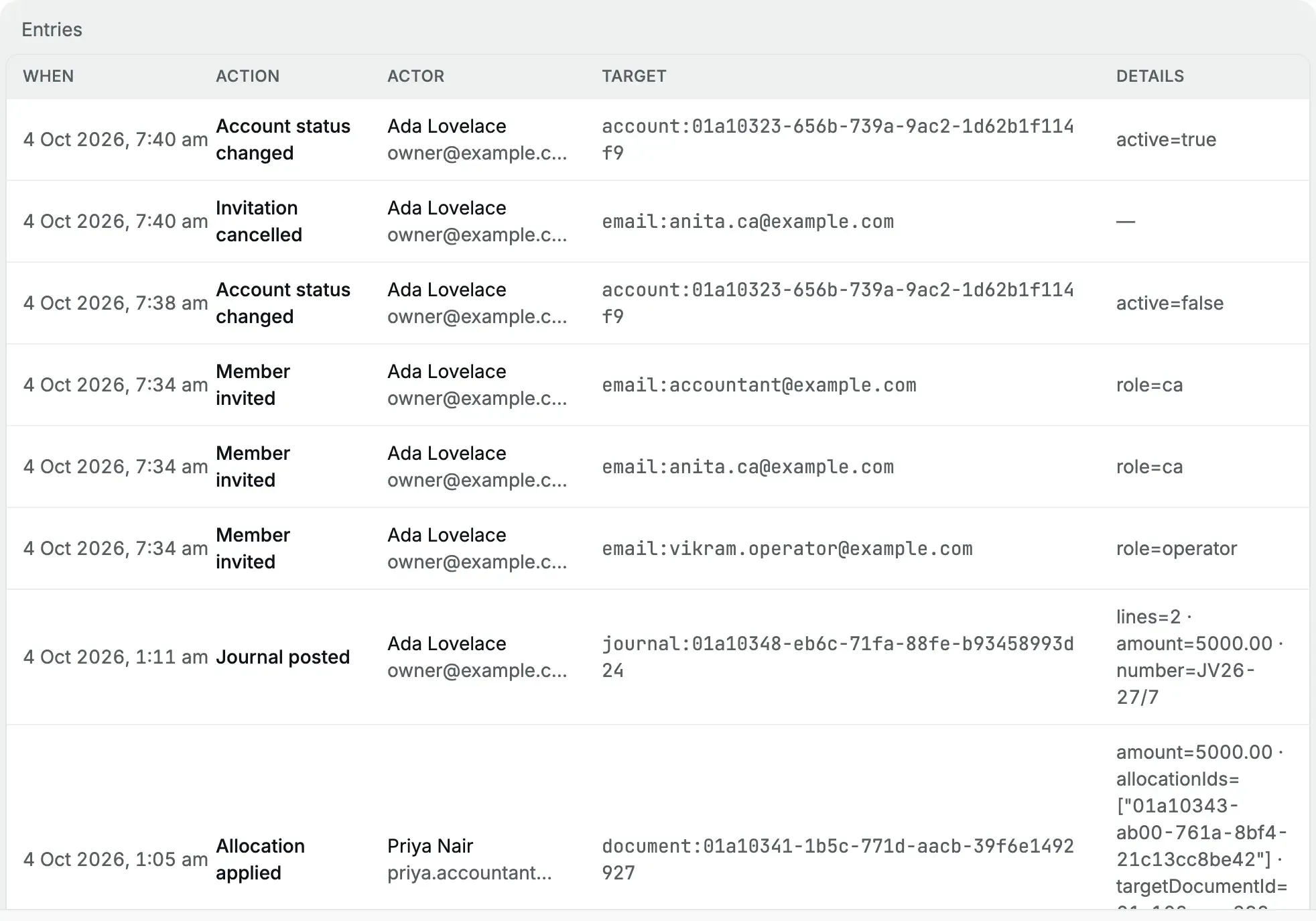
What is recorded
| Area | Entries (as What happened shows them) |
|---|---|
| Documents | Invoice posted, Receipt posted, Bill posted, Payment posted, Credit note posted, Debit note posted, Journal posted, Opening balance posted, and the same with cancelled. Invoice amended and Bill amended when a posted invoice or bill is cancelled and reopened as a draft, an unposted copy. |
| Credits | Amount applied, Applied amount undone (an allocation sets an advance or credit note against an invoice or bill) |
| Import | Workbook imported when a workbook is imported |
| Locks | Period lock changed, Lock exception granted, Lock exception revoked (a lock exception lets one person post into a locked period for a limited time) |
| Settings and accounts | Settings updated, Organization created, Account status changed |
| Members | Member invited, Member joined, Invitation cancelled, Member role changed, Member removed |
| Files | File uploaded, File deleted; File opened, File uploaded or File deleted with Denied when someone tries to reach a file of another organization |
| Refusals | Permission check with a Denied badge, every time the server refuses an action because of the person’s role |
What is not recorded
- Reading or opening pages, reports and documents, and downloads.
- Sign-ins and sign-outs.
- Saving a draft invoice or bill.
- Creating or editing parties, items and accounts (archiving an account is recorded).
Read an entry
Each row has five columns:
| Column | What it shows |
|---|---|
| When | Date and time in the organization’s time zone, for example “4 Oct 2026, 12:49 am”. |
| Who | The person’s name and email. If their account no longer exists, an internal id. |
| What happened | The action, in words. A Denied badge marks a refused request. |
| On | The business identifier (document number, file name, member name or email) where available. Hover to see the stored type:id reference. |
| Details | Saved facts as readable Label: value pairs; internal ID fields are omitted. |
The Details column is usually the one to read. For example:
| What happened | Details | Meaning |
|---|---|---|
| Receipt posted | Amount: 14632.00 · Number: RCT26-27/11 · Settlement Kind: against · Allocated Amount: 14632.00 |
Receipt RCT26-27/11 for ₹14,632.00, settled fully against open invoices (settlement kind against). |
| Payment posted | TDS: 0.00 · Amount: 531.00 · Number: PMT26-27/6 · Settlement Kind: against |
Payment PMT26-27/6 of ₹531.00, no TDS (tax deducted at source) withheld. |
| Period lock changed | Kind: tax · Reason: GSTR-1 for April, May and June 2026 filed… · Locked Through: 2026-06-30 |
The tax period lock moved to 30 Jun 2026, with the reason given. |
| Member role changed | Name: Priya · Email: priya.accountant@example.com · Role: accountant |
The member’s identity and new role, even after removal. |
To find the document, search its number from Details in the command palette.
Refused requests
A Permission check row with Denied means someone asked the server to do
something their role does not allow. Details shows their role and what they
tried, for example roles: ["operator"] · permission: {"file":["upload"]}: an
operator tried to upload a file.
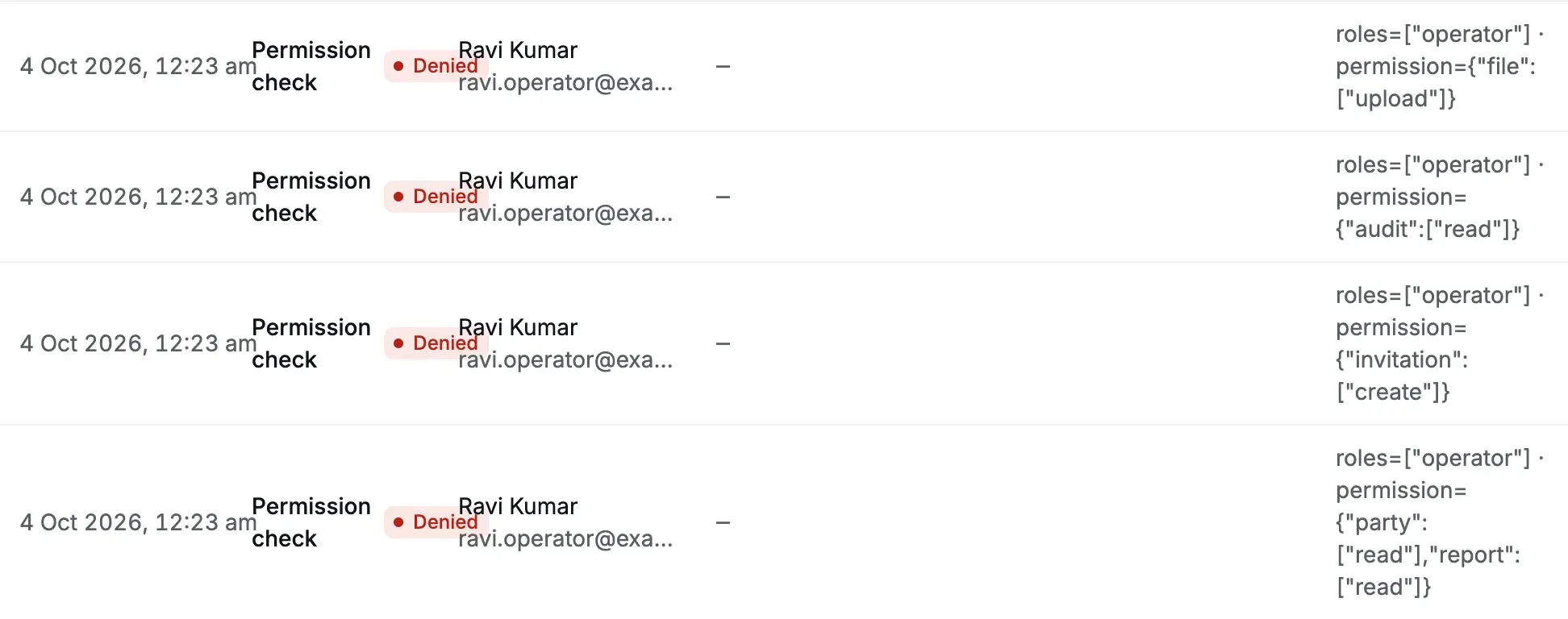
The normal screens hide actions a role cannot take, so a refusal usually means an out-of-date screen after a role change, an old bookmark, or someone trying the system on purpose. One or two after a role change are normal. Many in a row are worth a conversation.
Find an entry
The log lists entries newest first and loads more as you scroll. Use the one search box, Person or document number. It matches who acted, by name or email, and values in Details, such as a document number, a member’s name or email, or a file name. Use the period menu to limit the dates; they follow your organization’s time zone. The search and period run on the whole log, not only the rows already loaded. Clear the search to return to the full log.
Related pages
- Members and invitations: the member actions recorded here.
- Files: file uploads and deletions.
- Period locks: lock changes and exceptions.
- Handover: reviewing the log before a handover.