Invoice notices and payment reminders
Send a posted invoice notice or an overdue payment reminder on WhatsApp and check customer delivery
The owner, accountant and operator can send Books invoice notices and payment reminders. The CA reads the delivery on each invoice. These messages need the customer’s phone in Parties.
Tell a customer about an invoice
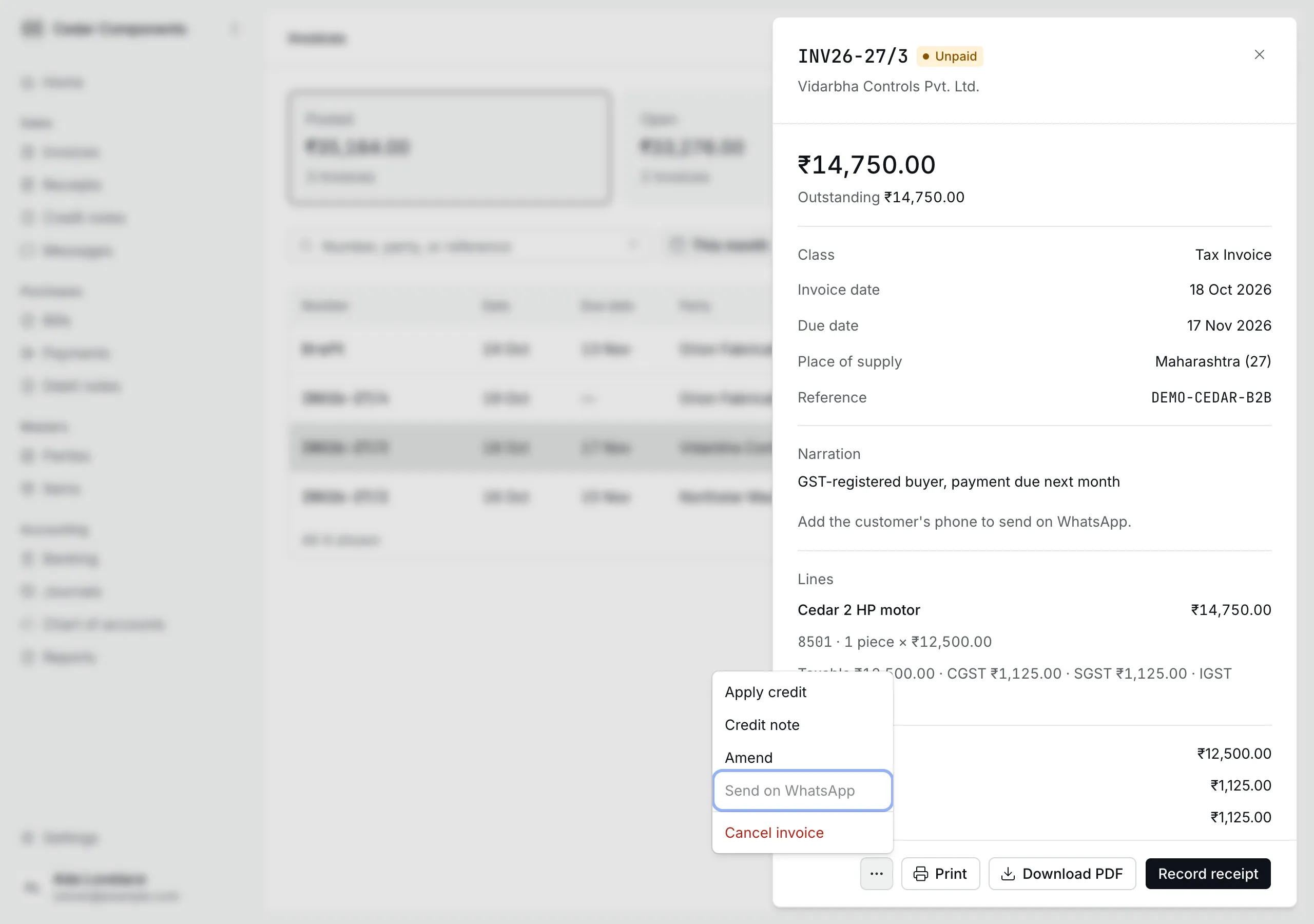
- Open a posted invoice, check its customer and total, then open ⋯.
- Choose Send on WhatsApp.
- Check the phone and the confirmation, then Send. The notice gives the invoice number, total and due date, or says it is due on receipt.
- Read its WhatsApp delivery on the invoice, under WhatsApp.
This is an invoice notice. Print or download the invoice PDF separately when needed. A draft cannot be sent. If the action is disabled, check the customer’s phone.
Remind a customer about overdue money
On an overdue posted invoice, choose ⋯ → Send payment reminder, check the balance, due date and phone, then confirm Send. A reminder uses the balance still due when it is sent. An invoice without a due date is not overdue.
For a group, filter the Invoices register and use Send reminders, or select specific invoices first. Read the confirmation’s scope: it sends one WhatsApp per overdue invoice, not one combined statement per customer. Invoices no longer overdue and School fee invoices are skipped.
School fees use the School fee reminder workflow, which names the child and goes to their primary guardian.
Check delivery before sending again
Open the invoice. Under WhatsApp it lists each notice and reminder with its status and any delivery failure. Waiting means queued; it does not mean received. If messages stay Waiting, contact Edernal support. School absence notices have a separate 30-minute delay after today’s attendance is saved; invoice notices do not. If the result of sending is uncertain, check the invoice before sending again.
WhatsApp delivery does not record payment or settle the invoice. When money arrives, record a receipt, then check the invoice’s remaining balance.