Balance sheet
See closing assets, liabilities and equity for a period, and drill from a balance to the documents behind it
The balance sheet shows what the business owns (assets), what it owes (liabilities) and the owners’ share (equity) at the end of a selected period. Assets always equal liabilities plus equity.
Question it answers: what is the financial position of the business at the end of this period?
Who can open it: Owner, Accountant and Chartered Accountant.
Open the balance sheet
Open the report
Click Reports, then Balance sheet. It opens for This month.
Choose the period
Open the date filter and choose a preset, or select Custom range and apply the dates.
Check the totals
Total assets at the end of Assets equals Total liabilities + equity at the bottom of the page.
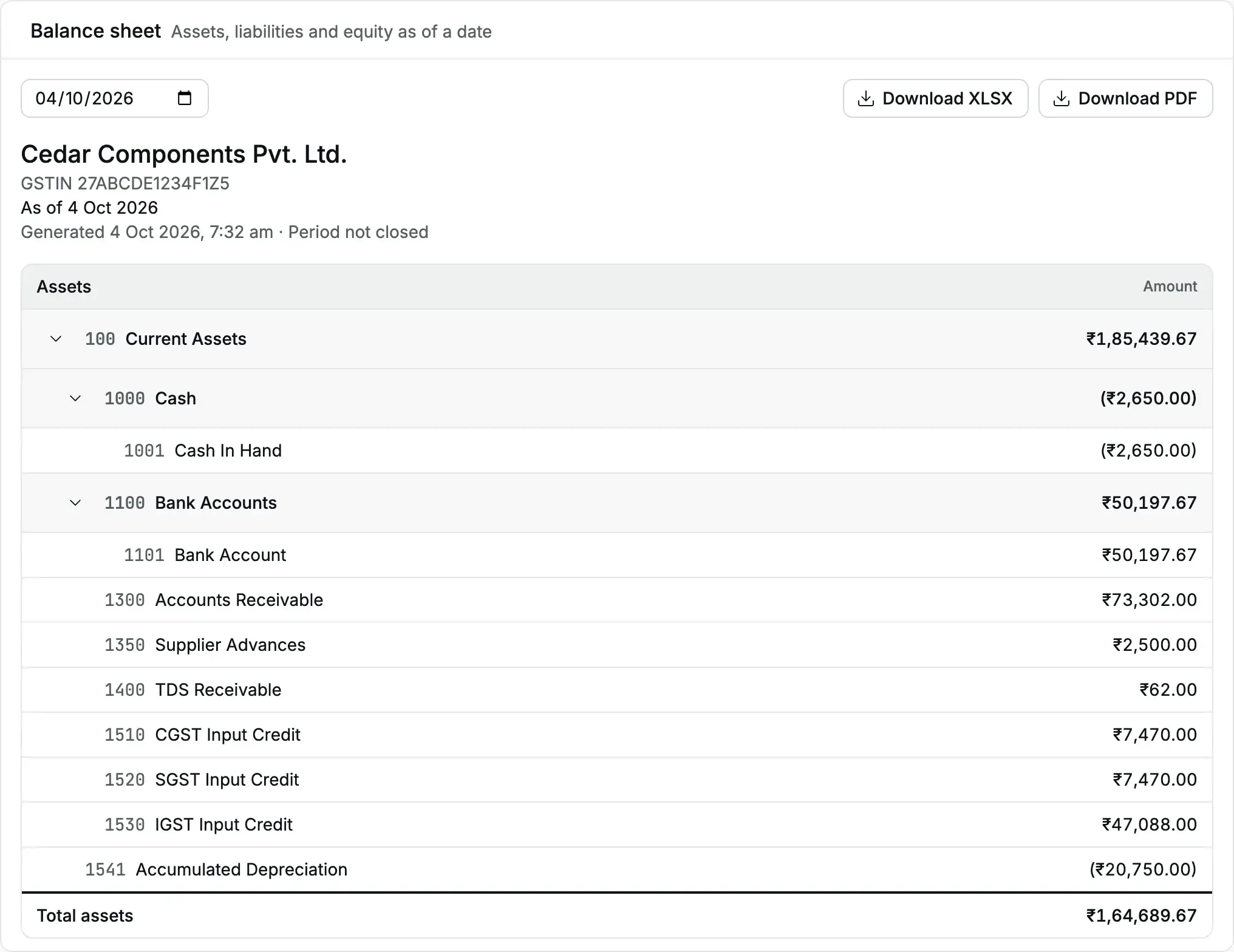
Read the statement
The balance sheet adds up every posted line from the first entry in your books to the end of the period you chose. Earlier balances are carried forward; changing the start date does not remove them. It has three sections:
| Section | Account type | Amount |
|---|---|---|
| Assets | Asset accounts: cash, bank, receivables, advances to suppliers, input GST | Debits less credits (debit and credit) |
| Liabilities | Liability accounts: payables, customer advances, output GST, TDS payable (tax deducted at source, owed to the government) | Credits less debits |
| Equity | Equity accounts such as Share Capital, plus two worked-out rows | Credits less debits |
Accounts appear under the groups (headings that hold accounts) of your chart of accounts, with a subtotal on each group. Click the arrow next to a group to collapse it. Accounts with a zero balance do not appear.
A balance on the “wrong” side stays in its section as a negative figure in brackets. An overdrawn bank account or a cash account that went below zero shows as a negative asset. Edernal Books does not move it to liabilities.
The two profit rows in Equity
Edernal Books does not post a closing entry at year end. The balance sheet works out the profit each time instead:
| Row | Meaning |
|---|---|
| Profit and loss, period | Income less expenses within the selected period. The default is This month |
| Profit and loss, brought forward | Income less expenses before the selected period began: the profit you carried forward |
Total equity is the equity accounts plus these two rows.

Profit and loss, period equals the net profit of the profit and loss for the same period. On 4 Oct 2026 both show a loss of (₹1,76,493.29) for Cedar Components.
If you post income or expense balances in your Opening Balance (the balances brought in from your old books), they count in the period containing the Opening Balance date.
The totals always agree
In the example:
| Line | Amount |
|---|---|
| Total assets | ₹1,64,689.67 |
| Total liabilities | ₹81,182.96 |
| Total equity (₹2,60,000.00 capital − ₹1,76,493.29 current-year loss) | ₹83,506.71 |
| Total liabilities + equity | ₹1,64,689.67 |
There is no “difference” line. Every posted document balances, so the two totals always agree. If they ever disagreed, the page would show “Could not load balance sheet” instead of a wrong statement. Tell your administrator at once.
Drill down: balance, ledger, document
Click an account
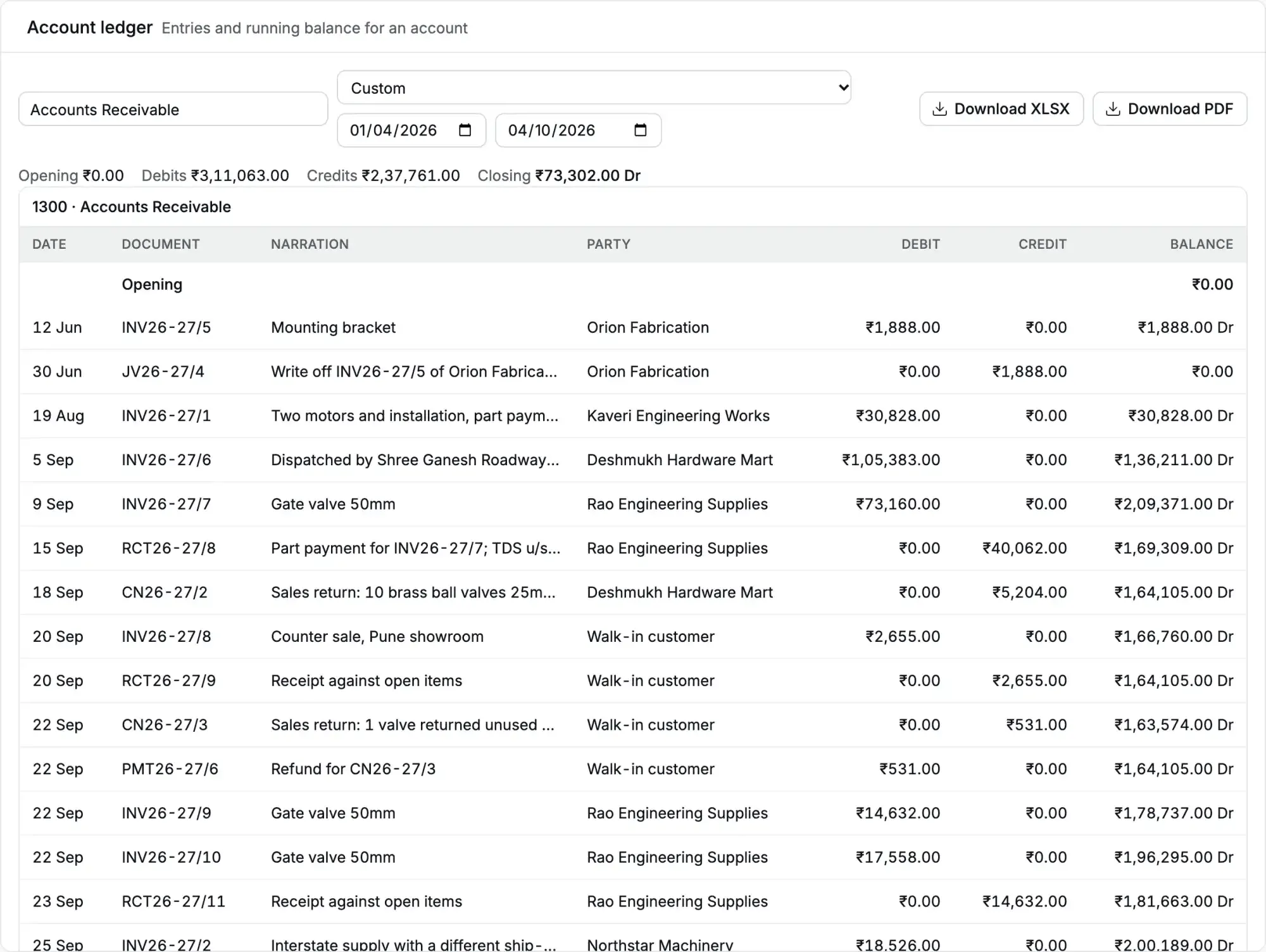
Click an account name, for example Accounts Receivable. Group names are not links.
Read its ledger
The account ledger, the ledger of that account, opens for the selected balance-sheet period. Its Closing equals the balance-sheet row.
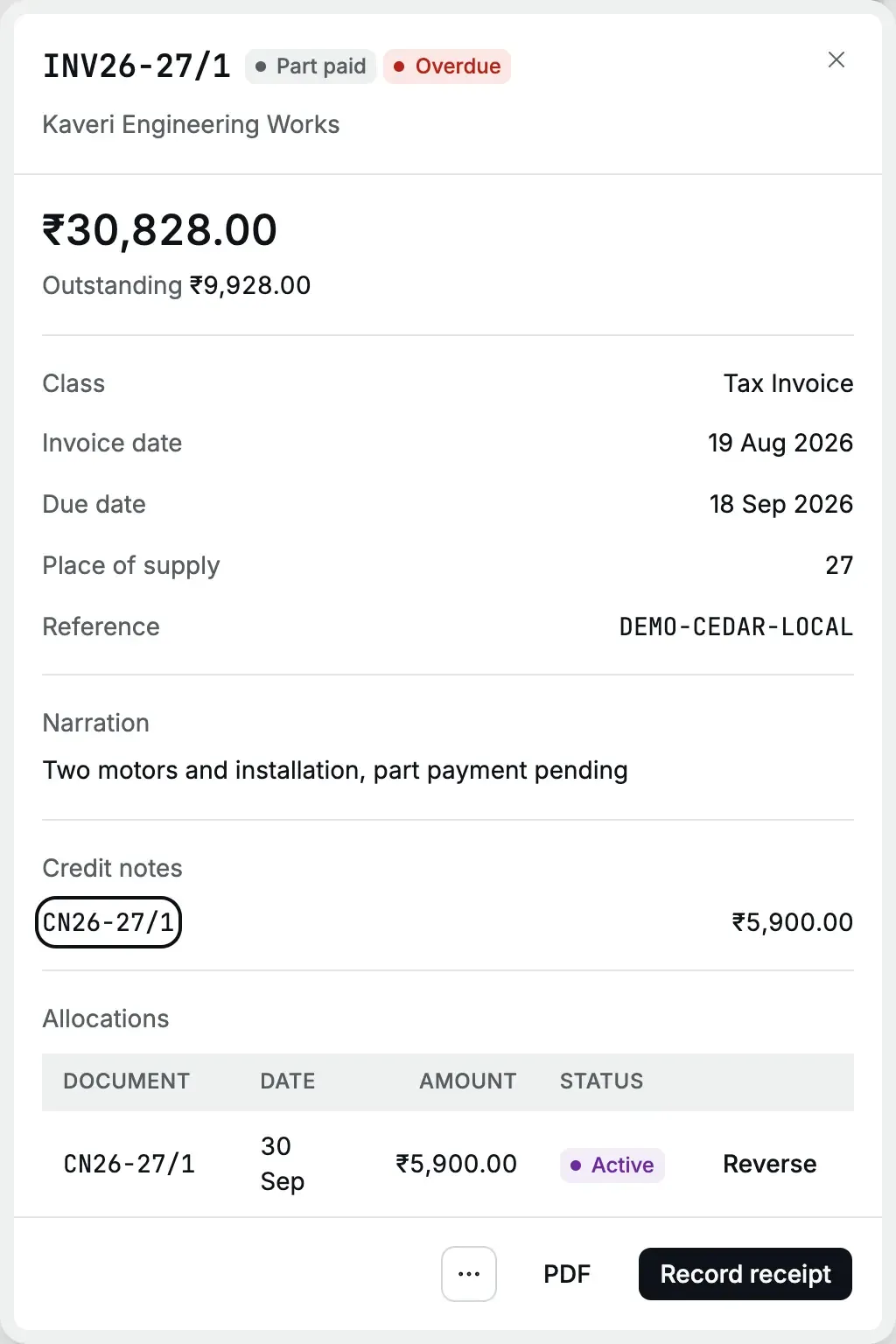
Open the document
Click a document number in the ledger, for example INV26-27/1. The invoice opens in a panel over its register.
On a phone
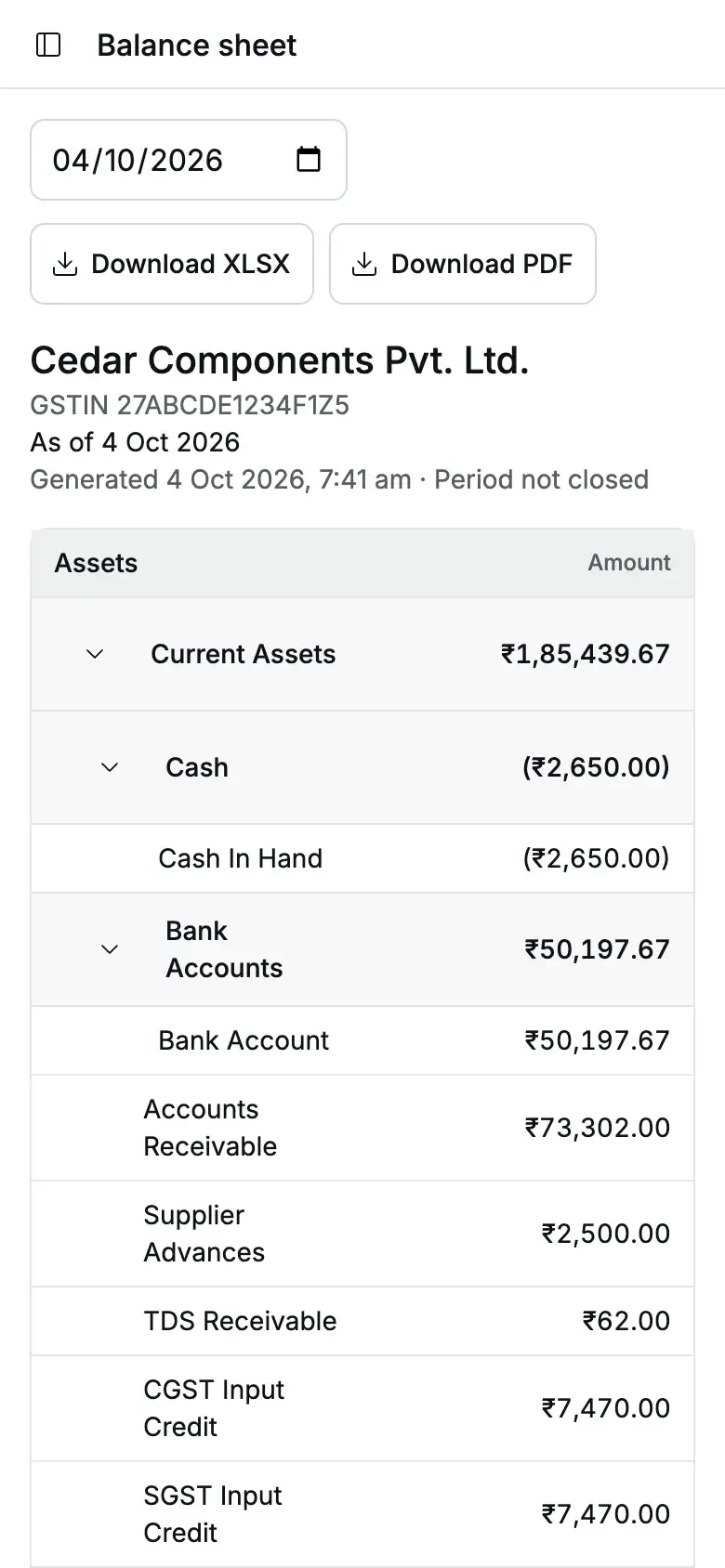
On a phone the statement keeps its groups. Codes are hidden, and long names wrap.
Download
- Download Excel saves the statement with Assets, Liabilities and Equity, groups indented, both profit rows, and the totals.
- Print opens the statement for the selected period, with codes, in its own tab. Download PDF saves it.
Common questions
The balance sheet shows “No closing account balances for this period.” The period ends before the first posted entry. Choose a later period.
Home shows a different cash total. Home and Banking stop at today. The balance sheet stops at the selected period end, which may include future-dated entries. See Reports.