Account ledger
See every entry in one account with a running balance, and open the document behind each line
The account ledger lists every entry in one account for a period, oldest first, with a running balance. Use it to check a bank account against the bank statement, to see what makes up a balance, or to find one entry.
Question it answers: what went into and out of this account, and what is its balance after each entry?
Who can open it: Owner, Accountant and Chartered Accountant.
Open an account ledger
Open the report
Click Reports, then Account ledger. The page says “Choose an account to view its ledger.”
Choose the account
Click Choose an account and type part of the name, for example “bank”. The list shows posting accounts (accounts that take entries) with their codes. Groups, the headings that hold accounts, are not in the list. An archived account shows “Inactive”.
Choose the period
The period starts as This month. Choose another preset or pick dates in Custom range and click Apply.
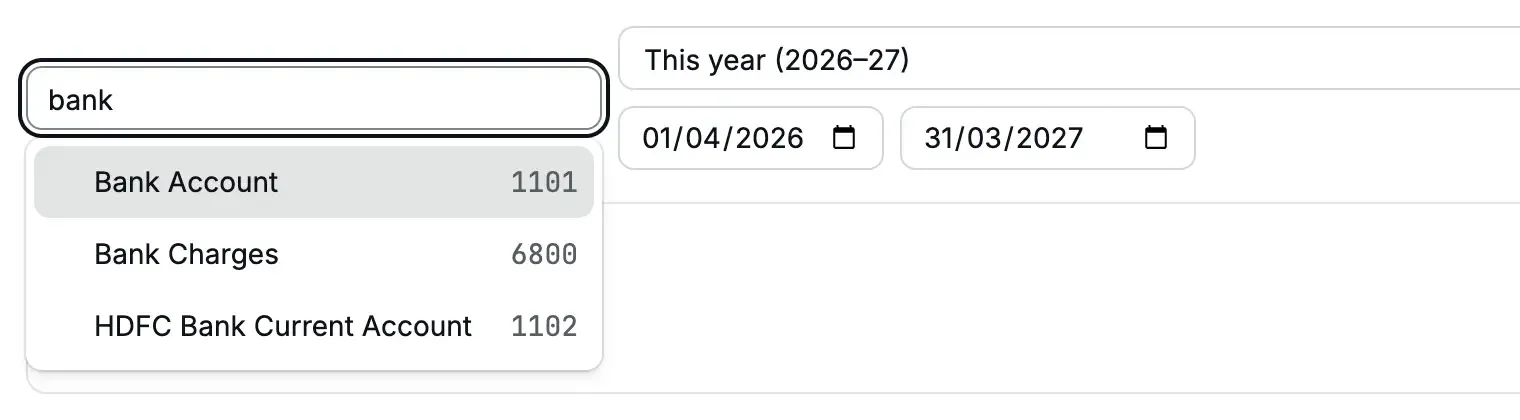
You can also open the ledger by clicking an account name in the trial balance, the profit and loss or the balance sheet.
Read the ledger
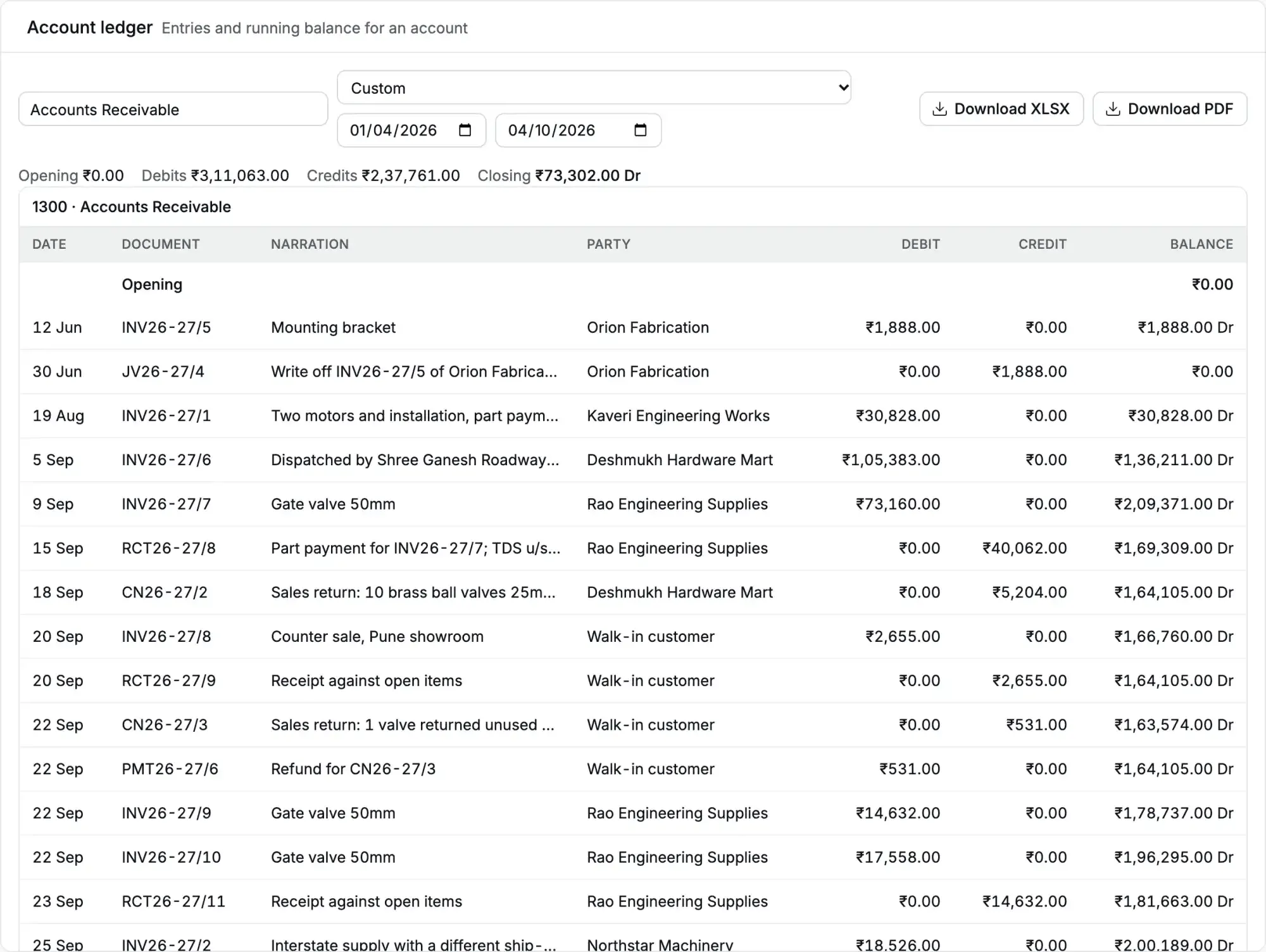
The line above the table sums up the period:
| Figure | Meaning |
|---|---|
| Opening | The balance before the From date, from every earlier line |
| Debits | The total debited in the period |
| Credits | The total credited in the period |
| Closing | Opening + Debits − Credits, shown Dr or Cr |
The table heading shows the account code and name. The columns are:
| Column | Meaning |
|---|---|
| Date | The document date |
| Document | The document number. Click it to open the document. |
| Narration | The narration, the document note, with its counterpart account (or “Multiple” for several) |
| Party | The party (customer or vendor) on this line, if the line has one |
| Debit, Credit | The amount of this line (debit and credit) |
| Balance | The running balance after this line, Dr or Cr |
The first row is Opening and the last row is Closing.
In the example, Accounts Receivable starts at ₹0.00. In the year so far, invoices add ₹3,11,063.00. Receipts, credit notes, allocations and a bad-debt write-off (journal JV26-27/4 for Orion Fabrication) take off ₹2,37,761.00. The closing balance is ₹73,302.00 Dr, the same figure as on the balance sheet.
Special lines
| Line | What it means |
|---|---|
| “Cancelled RCT26-27/5: Duplicate receipt” | The document was cancelled for the stated reason. The reversal is dated the original document date and undoes the original line. |
| “RCT26-27/2 applied to INV26-27/3” | An allocation applied a credit to another document. Its document link opens the source receipt or note; the narration names both source and target. |
| “Undone: RCT26-27/2 applied to INV26-27/3: Wrong invoice” | Someone undid the applied amount for the stated reason. The credit is free to apply again. |
Long ledgers
The ledger loads the first lines at once and the rest as you scroll. The summary line is complete from the start, but the Closing row at the bottom shows only when the last line has loaded. The footer reads “All … shown” at that point.
Open the document
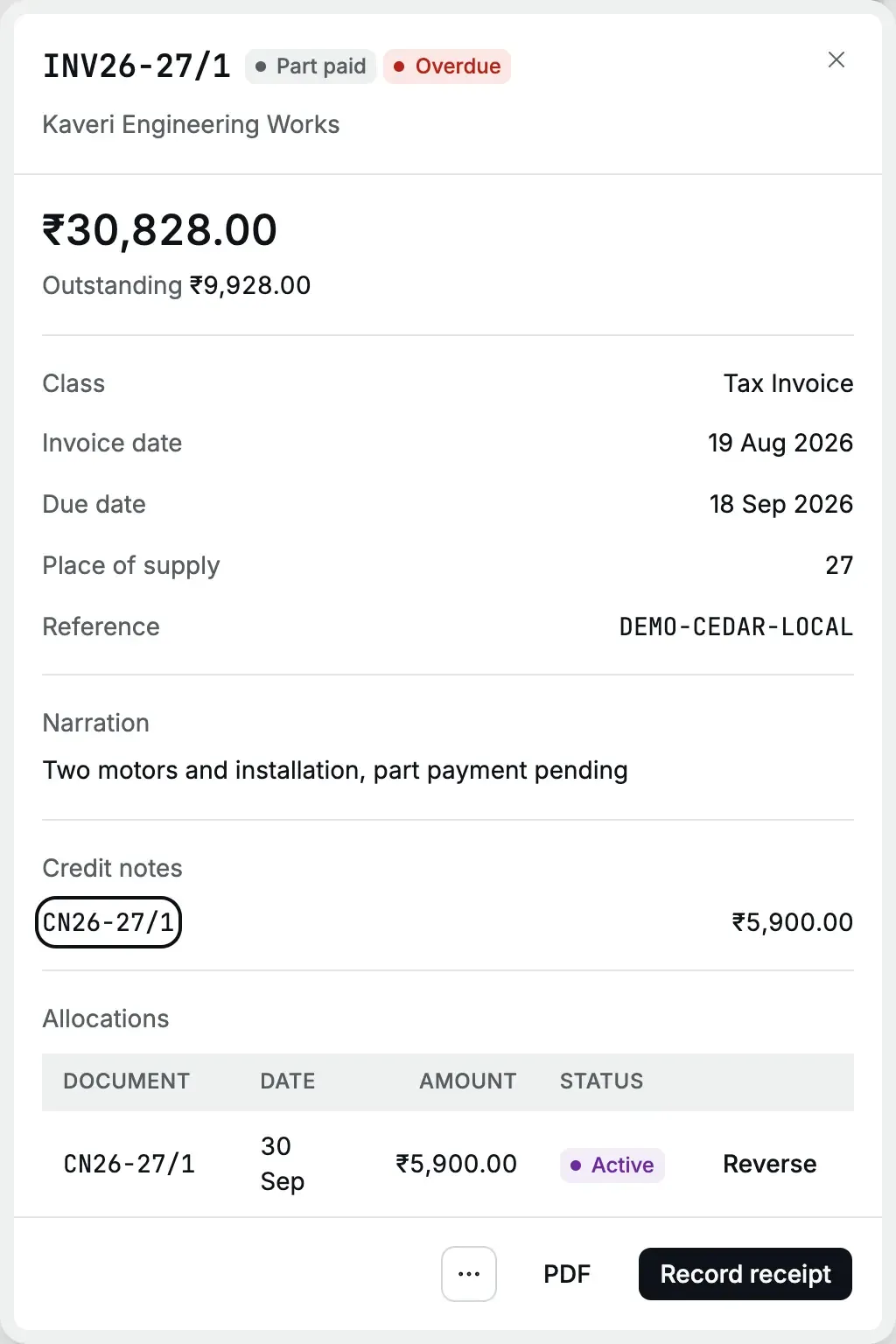
Click the number in Document. The document opens in a panel over its register, for example the invoice over the Invoices list. Close the panel to return; use the browser’s back button to return to the ledger.
Check a bank account
- Open the ledger for the bank account, for example 1101 Bank Account, for the month of the bank statement.
- Compare Opening with the statement’s opening balance and Closing with its closing balance.
- Tick each line against the statement. A line in the ledger but not in the statement is usually a cheque not yet presented or a deposit in transit.
The ledger closing as of today equals the balance in Banking, unless a document is dated after today. Banking includes such documents; the ledger stops at To.
Download
- Download Excel saves the ledger with Date, Document, Type, Narration, Party, Debit, Credit and Balance (Dr +): a debit balance is positive and a credit balance is negative. The first row is the opening balance and the last is the closing balance. It holds up to 1,00,000 lines.
- Print opens the ledger in its own tab, and Download PDF saves it. The PDF holds up to 5,000 lines.
Until you choose an account, Print, Download PDF and Download Excel are hidden. When a period has more than 5,000 lines, the PDF shows “This report exceeds 5,000 lines; narrow the filters or choose a shorter period.” Use Download Excel instead, or download the PDF one month at a time. Above 1,00,000 lines the Excel file shows the same message with its own limit.
Common questions
“Choose a posting account, not a group.” You opened a link with a group account. Choose an account inside the group.
The Party column is empty on cash and bank lines. The party sits on the other line of the entry, for example on Accounts Receivable or the income account. Read the Narration, or open the day book for all lines of the entry.