Organization
The legal details, GSTIN, state, financial year and document numbering that every document uses
Settings → Organization holds your organization’s legal identity and how its documents are numbered. Edernal Books prints these details on invoices (sales), bills (purchases), receipts (money in) and reports. It uses your state and GSTIN, your 15-character GST registration number, to decide how GST (India’s Goods and Services Tax) applies.
You enter these details when you create the organization. Come back here to correct an address, add a GSTIN after registration, or change a document prefix.
Who can do it: only an Owner (see roles) sees this tab and can save it. Other roles do not see Organization under Settings.
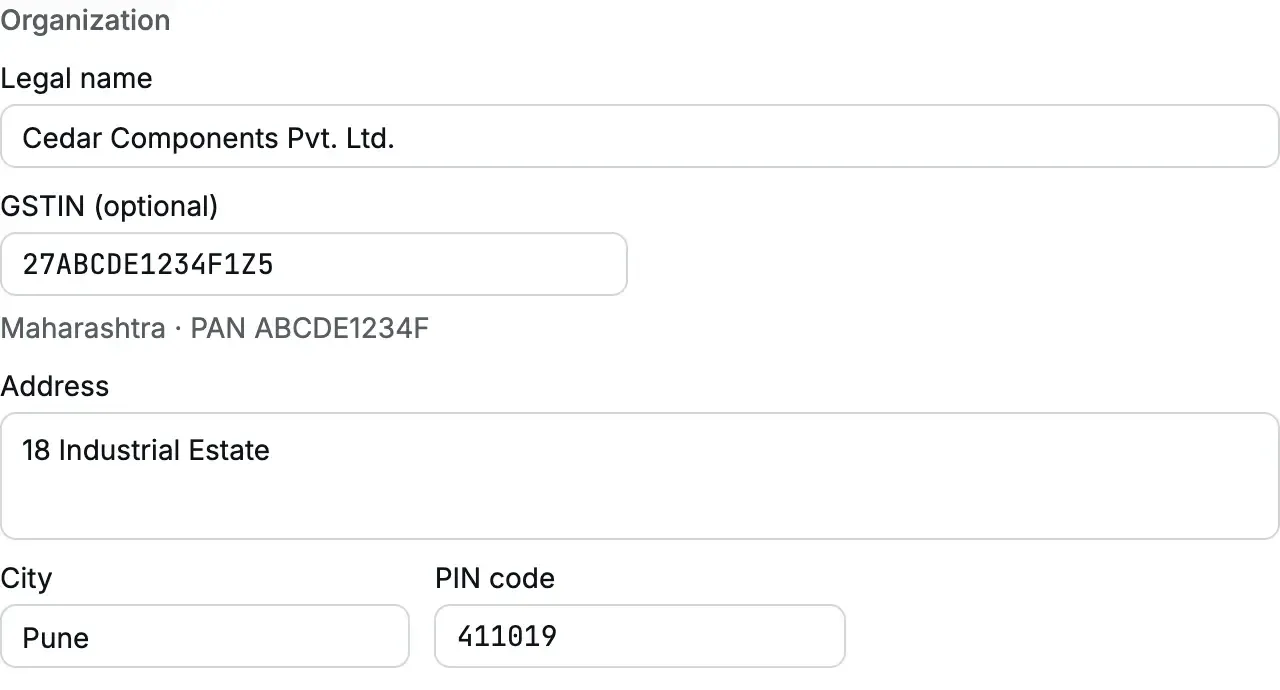
Legal details
| Field | What it holds | What it changes |
|---|---|---|
| Legal name | The name as registered, up to 200 characters | The name printed on every document and report heading |
| GSTIN (optional) | Your 15-character GST number, if you are registered | Fills State and PAN from the number. Marks the organization as GST-registered (see below) |
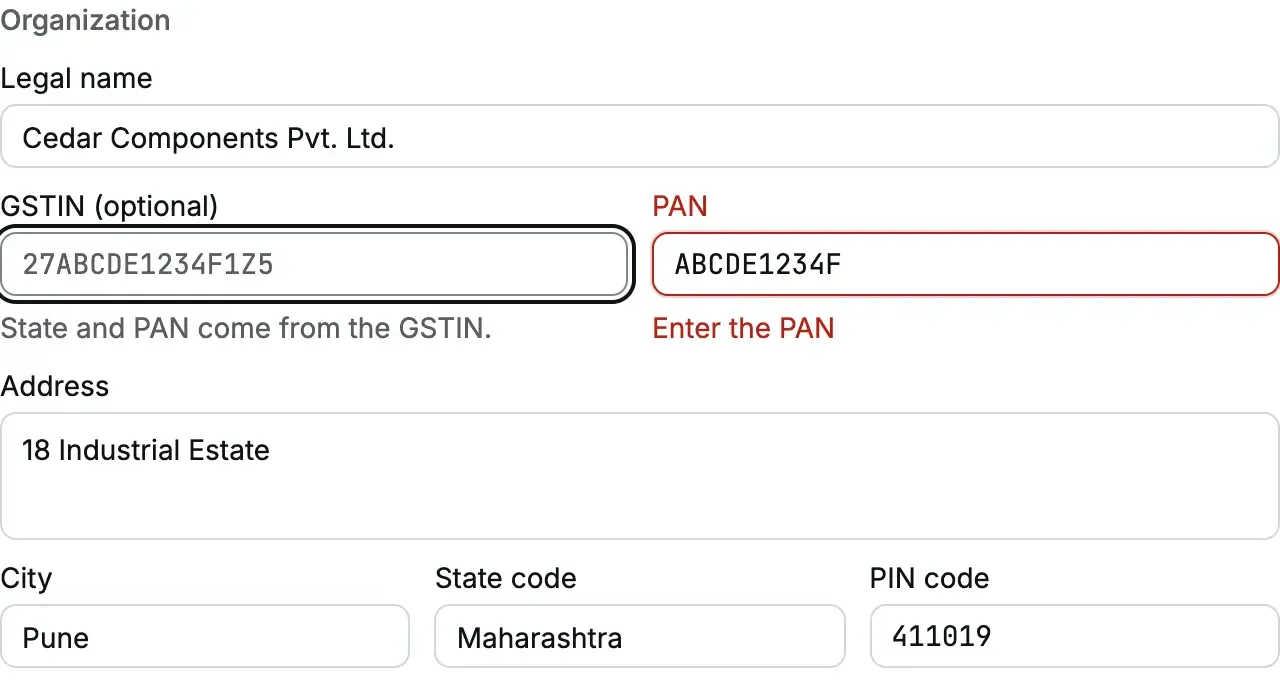
| PAN | Your 10-character PAN (Permanent Account Number, the income-tax ID). Shown only when GSTIN is blank | Required. With a GSTIN, it comes from characters 3 to 12 of the GSTIN |
| Address | Registered address, up to 500 characters | Printed on documents |
| City | City | Printed on documents |
| State code | Your GST state. Shown only when GSTIN is blank | Compared with each sale’s place of supply: the same state means CGST + SGST, another state means IGST; see CGST, SGST and IGST, the central, state and integrated GST. With a GSTIN, it comes from its first two digits |
| PIN code | Six-digit Indian PIN code | Printed on documents |
How a GSTIN fills State and PAN
When you type a valid GSTIN, the line under the field shows what it found, for example Maharashtra · PAN ABCDE1234F, and the PAN and State code fields disappear. Clear the GSTIN to see and edit them again. They keep the values the GSTIN gave them.
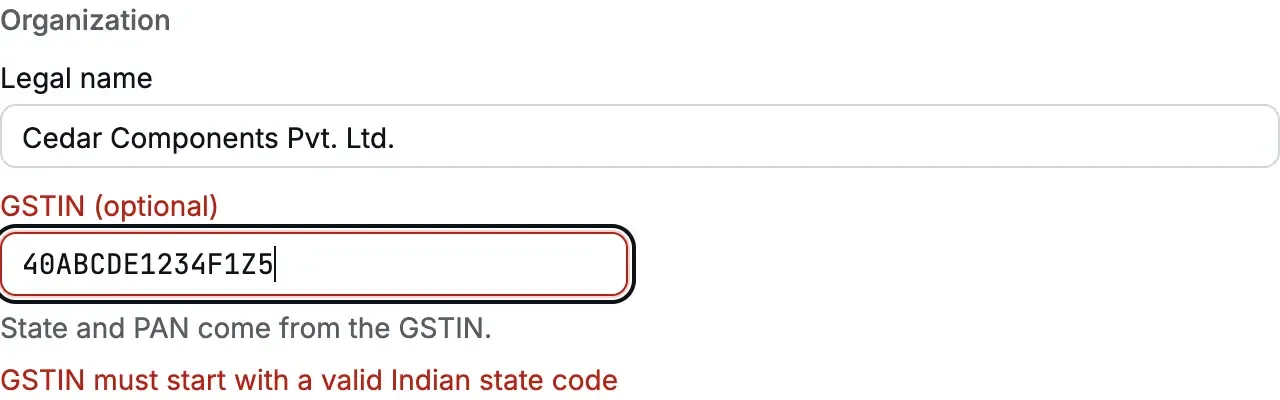
A GSTIN must have 15 characters in the GST pattern, a valid last check character, and start with a real state code. If the first two digits are not a state, Save settings shows “GSTIN must start with a valid Indian state code”.
What a GSTIN changes
With a GSTIN, the organization is GST-registered:
- Invoices for items under a Taxable income account (its supply class, which says how GST treats the income) charge GST at the item’s rate.
- A Journal (a manual journal entry) or the Opening balance cannot use a taxable income account. Taxable income comes only from invoices, so your GST returns (GSTR-1 and GSTR-3B) and books agree.
Without a GSTIN, the organization is unregistered: you can still record sales and purchases, and the state still decides the place of supply, the state where GST says the sale happens.
Document numbering
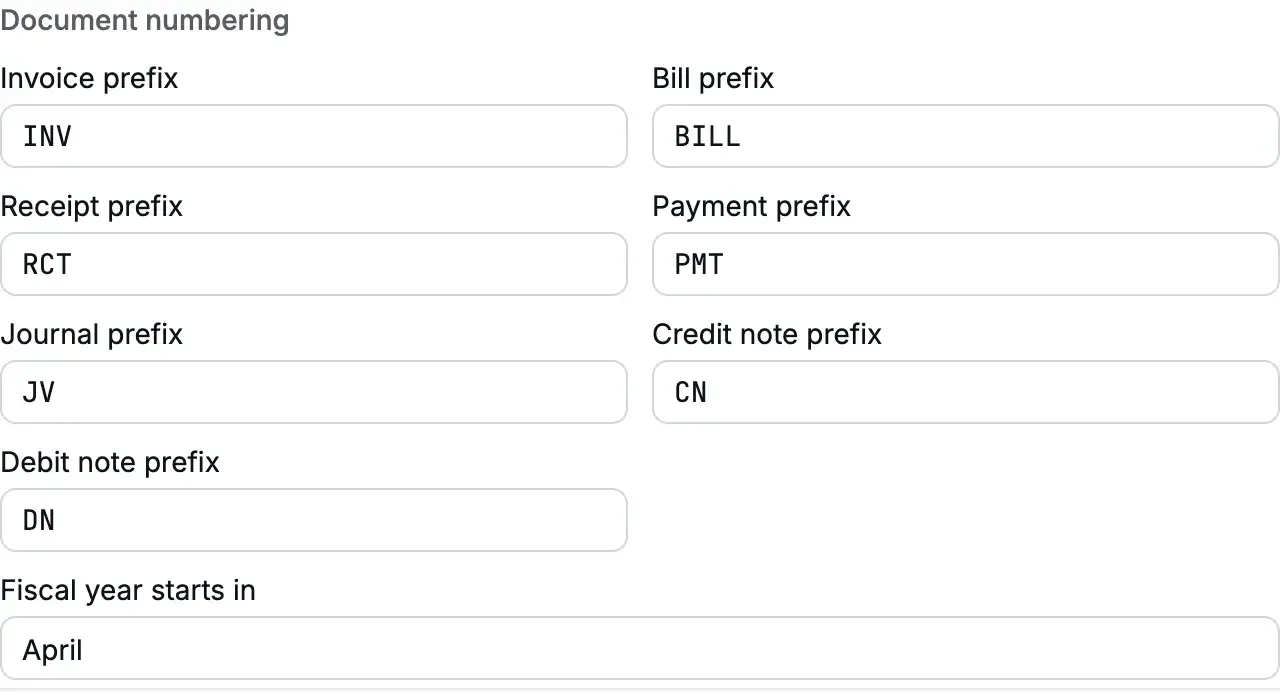
Each document type has its own prefix of 1 to 4 letters, digits, - or /. Edernal
Books writes capitals. A posted document’s number is the prefix, the
financial year (FY, April to March in India) and a running
number:
| Prefix field | Default | Example number |
|---|---|---|
| Invoice prefix | INV |
INV26-27/14 |
| Bill prefix | BILL |
BILL26-27/3 |
| Receipt prefix | RCT |
RCT26-27/51 |
| Payment prefix | PMT |
PMT26-27/8 |
| Journal prefix | JV |
JV26-27/2 |
| Credit note prefix | CN |
CN26-27/1 |
| Debit note prefix | DN |
DN26-27/1 |
How numbering works:
- A number is given when a document is posted (post: written to the books), not when an invoice or bill is saved as a draft, an unposted copy you can still change. The numbers in each series run without gaps.
- Each financial year starts again at 1:
INV25-26/…ends on 31 March andINV26-27/1starts on 1 April. - The year in the number comes from the document date, not from today.
- If you change a prefix, the next document starts a new series at 1, for example
SI26-27/1. Documents already posted keep their numbers. If you change the prefix back, the old series continues where it stopped. - GST law allows at most 16 characters in an invoice number. When a series would pass 16 characters, posting stops with “This number series is full at …. Change the prefix to start a new series.”
- The Opening Balance uses the fixed prefix
OB, and imported opening items (unpaid invoices, bills and credits from your old books) useOC(opening claim) andOA(opening credit). You cannot change these. These three prefixes are reserved and cannot be used for another document type.
Financial year
Financial year starts in sets the month your financial year begins. Indian businesses use April, so 2026–27 runs from 1 April 2026 to 31 March 2027. Reports offer This year and Last year from this setting, and document numbers carry the year.
You can change the month only until the first document is numbered. After that, a save shows “The financial year start cannot change after a document is numbered.” Choose the month before you post anything.
Save your changes
Save settings stays grey until you change a field. Click it to save; you see “Settings saved”. Each save is recorded in the audit log, the record of who changed what (see Audit log). Changes apply to documents you post next. Posted documents keep the details they were posted with.
Common errors
| Message | What to do |
|---|---|
| “GSTIN must start with a valid Indian state code” | Check the first two digits against your GST certificate |
| “Use a valid GSTIN” | Check the 15-character pattern and last check character against your GST certificate |
| “Enter the PAN” | With no GSTIN, PAN is required |
| “Use a valid 6-digit PIN code” | Type six digits, not starting with 0 |
| “Use 1 to 4 letters, digits, ‘-’ or ‘/’” | Shorten the prefix or remove spaces and other symbols |
| “Each document type must use a different prefix.” | Choose a prefix not used by another document type |
| “The financial year start cannot change after a document is numbered.” | Keep the month. Start a new organization if the year really differs |
Related pages
- Chart of accounts: the next step of setup.
- Members: invite the people who work in the books.
- Locks: stop changes to a closed period (see lock).