Invoice fields
Add your own rows to the Invoice, such as a vehicle number or job ID, and print them on the customer's copy
Every trade has something it must say on a bill: a transporter names the vehicle and lorry receipt (LR), and a workshop names the job ID. Settings → Invoice fields adds those rows to your invoices. Each field becomes a box on the invoice form, under Reference, and prints on the invoice when it holds a value.
Who can do it: an Owner (see roles) adds, renames, moves and removes fields. Everyone who raises invoices can fill them in. A field never stops an invoice: any box can stay empty.
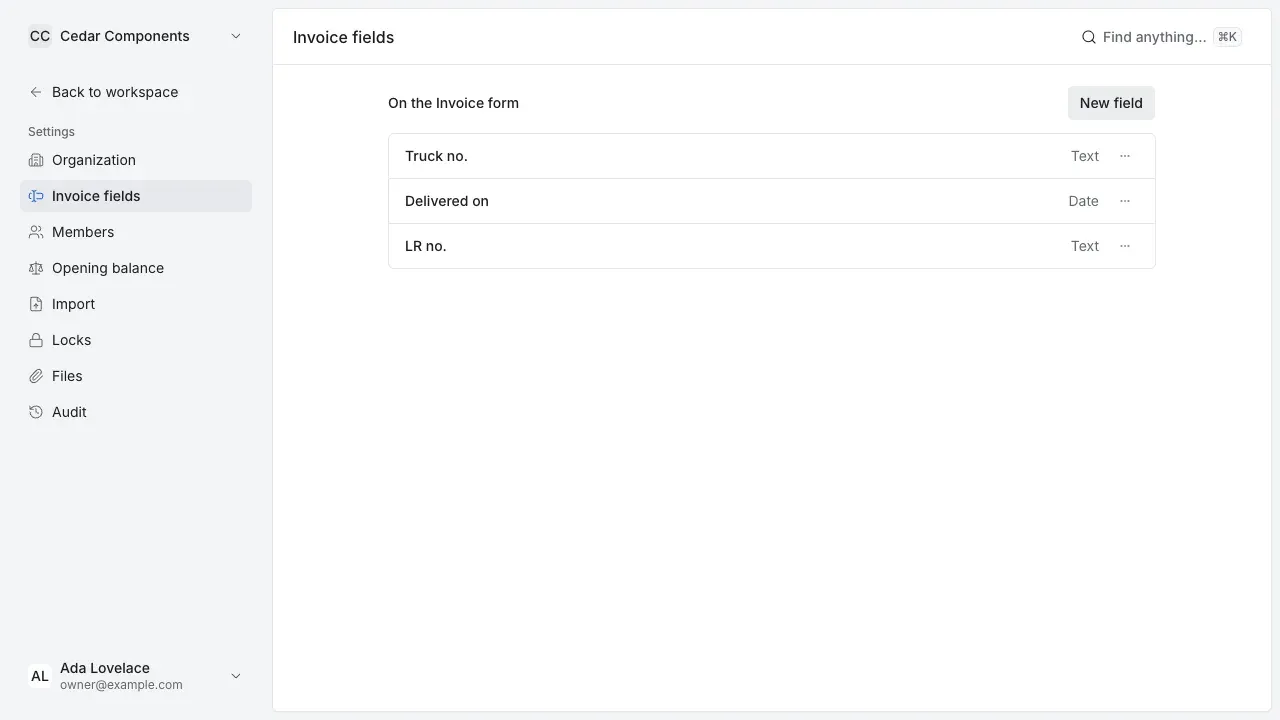
Add a field
- Open Settings → Invoice fields and click New field.
- Type the Label the customer should read, such as
Vehicle no., up to 60 characters. - Choose the Type. Text takes up to 120 characters. Date takes a real date and prints it the way other dates print. The type cannot change later.
- Click Add field.
Two fields in use cannot share a label, whatever the capitals; the form says “An Invoice field with this label already exists.”
Rename, move or remove a field
Click ⋯ on a field’s row.
| Action | What happens |
|---|---|
| Rename | New invoices print the new label. Posted invoices keep the one they printed. |
| Move up, down | Sets the order of the boxes on the form and of the rows on the printed invoice. |
| Remove | The box leaves the form. Posted invoices keep what they printed. A draft already holding a value keeps its box until it posts. |
A removed field cannot come back, but a new field can use its label.
What prints where
| Paper | What it shows |
|---|---|
| Invoice | Each filled field, in the details beside the date and place of supply. The record shows the same. |
| Credit note | The rows of the invoice it was raised against. |
| Receipt voucher | Under each settled invoice’s number, that invoice’s rows, so one receipt shows which job each paid. |
- Amending an invoice carries its values to the new draft, where you can correct them. A value for a field since removed stays, so correcting an old invoice does not silently drop it.
- A repeating invoice keeps what you typed on the first invoice only. Each later date posts with these boxes empty, so last month’s vehicle or job number is never repeated by accident. For a standing PO number, use Reference, which repeats.
- School bills print what School supplies and take no Invoice fields.
GST registers and returns are unchanged: a field only prints. It is not searchable, and it is not in exports.