Hiring an accountant and an operator
Invite two new people, let them join from their links, and see what each can and cannot do on their first day
Cedar Components, a maker and trader of brass valves and motors, is growing. On 4 Oct 2026 the owner, Ada Lovelace, brings in two people:
- Priya Nair, an accountant, who will keep the books (the accounting records).
- Ravi Kumar, a billing clerk at the front desk, who will record invoices (bills to customers), receipts (money in) and payments (money out) as an operator.
This story follows them from the invitation to their first entries. It uses these pages: Members and invitations, Getting started, Roles and access, Receipts and Apply credit.
1. Ada invites Priya and Ravi
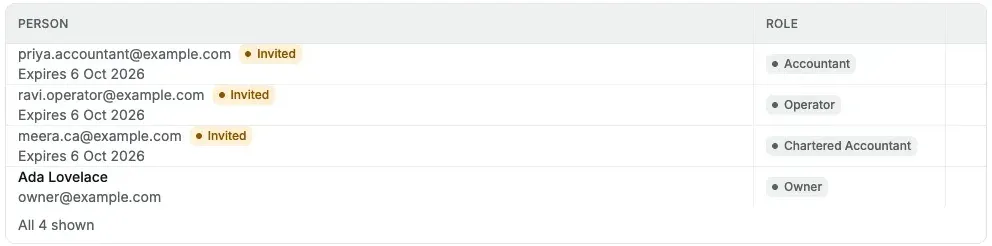
Ada opens Settings → Members and clicks Invite twice:
| Email address | Role |
|---|---|
| priya.accountant@example.com | Accountant |
| ravi.operator@example.com | Operator |
After each Create invitation, she clicks Copy link and sends the link to that person on WhatsApp. Edernal Books sends no email. Both invitations show Invited and expire on 6 Oct 2026, 48 hours later.
2. Priya joins
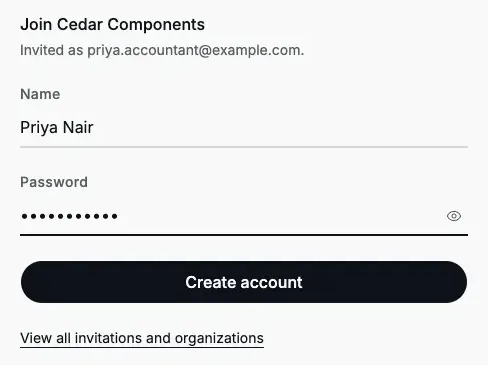
Priya opens her link on her laptop. The page says “Join Cedar Components. Invited as priya.accountant@example.com.” She has no Edernal Books account yet, so she enters her Name and a Password of at least 8 characters and clicks Create account.
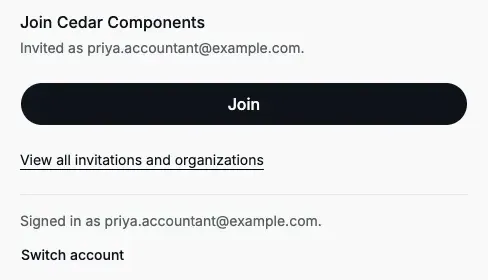
The page now shows Join. She clicks it, and Edernal Books opens Cedar Components’ Home.
3. What each of them sees
Priya’s sidebar and Home match Ada’s: every register (list of one kind of record), the reports, the figures and charts on Home. In Settings she has every tab except Organization, and the member list is read-only.
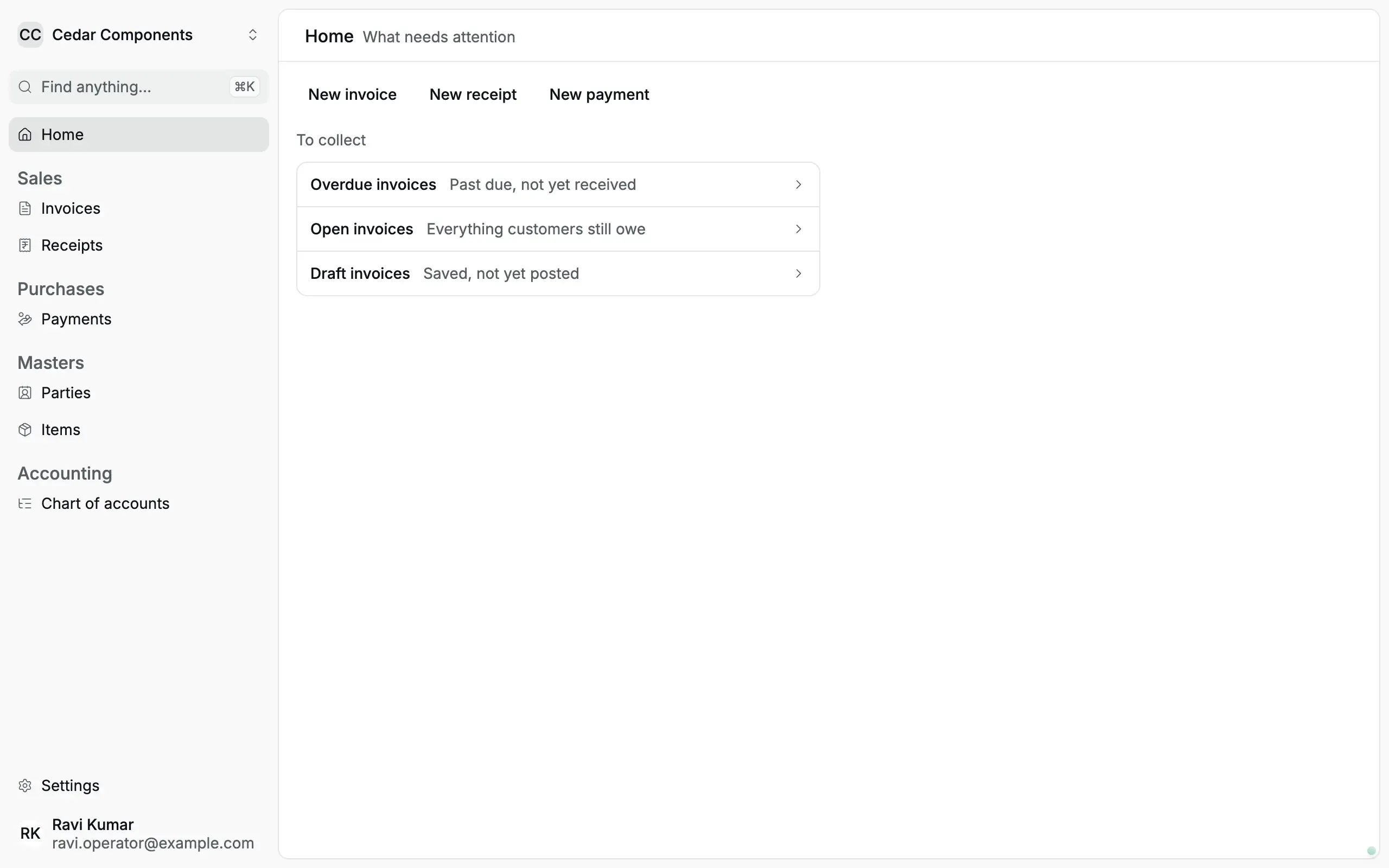
Ravi’s sidebar is much shorter: Invoices, Receipts, Payments, Parties, Items and Chart of accounts. Home shows overdue invoices under Overdue payments, but no money figures.
| Priya (Accountant) | Ravi (Operator) | |
|---|---|---|
| Record receipts, payments and invoices | Yes | Yes |
| Cancel a receipt, payment or invoice | Yes | No |
| Bills, credit notes, debit notes, journals | Yes | Cannot open them |
| Create or edit parties (customers and suppliers) and items | Yes | Can only view |
| Apply an advance to an invoice after posting | Yes | No |
| Reports, party ledgers, bank balances | Yes | Cannot open them |
| Audit log | Yes | No |
| Invite people or change roles | No | No |
If Ravi opens a bookmark to Bills or Reports, Edernal Books takes him to Home instead.
4. Ravi records his first receipt
At 11 am, Kaveri Engineering Works sends ₹5,000 by NEFT (a bank-to-bank transfer). Their accounts clerk says it is an advance (money paid before the goods are invoiced) for the brass valves on their purchase order 118. Ravi clicks New receipt and enters:
| Field | Value |
|---|---|
| Party | Kaveri Engineering Works |
| Amount | ₹5,000 |
| Payment method | Bank transfer |
| Settlement kind | Advance |
| Advance for | Goods |
| Reference | NEFT KEW-0410 |
| Narration | Advance against PO 118 for brass valves |
| Date | 4 Oct 2026 |
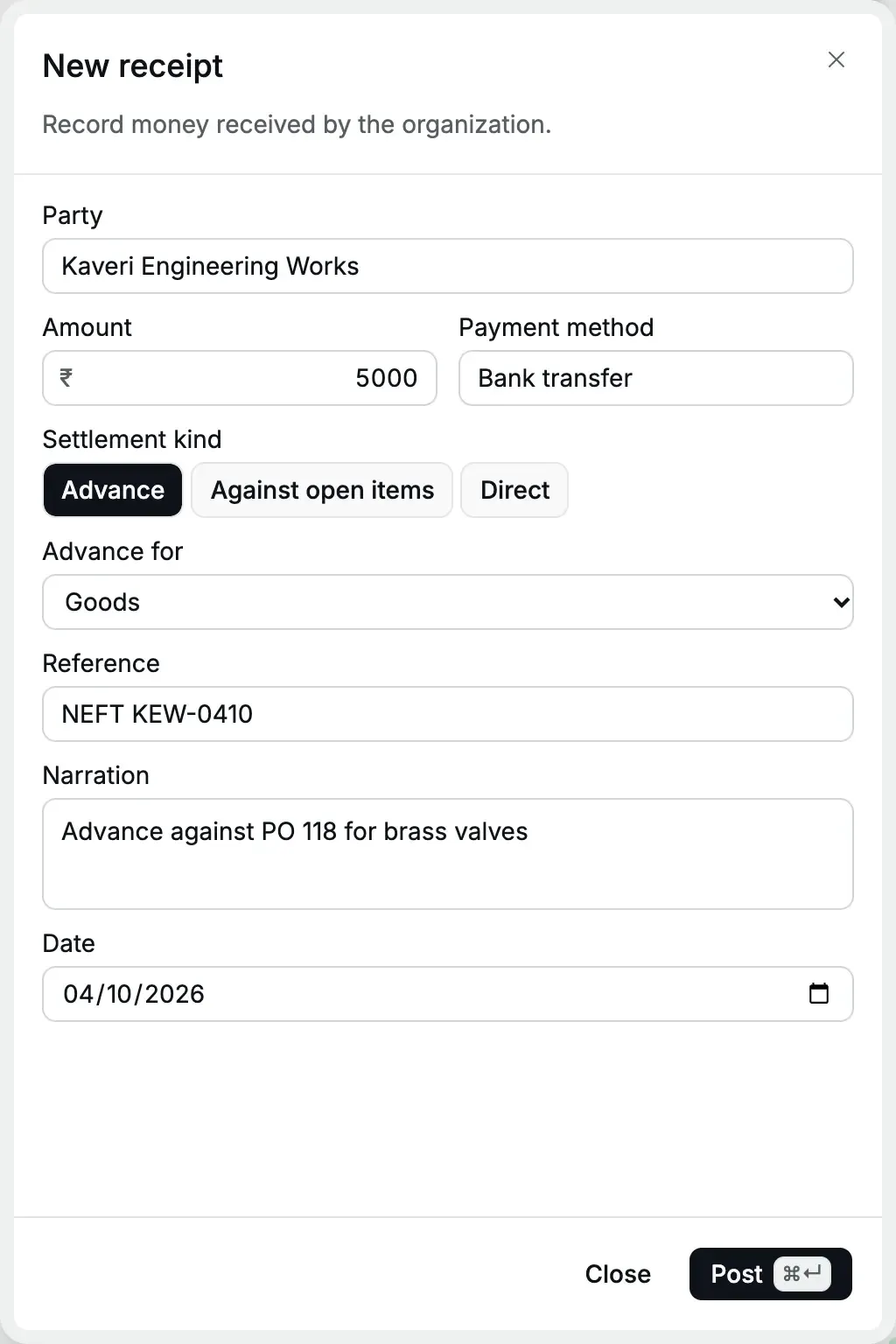
He clicks Post. Edernal Books shows “Receipt RCT26-27/12 posted”. An advance for goods carries no GST (Goods and Services Tax), so the books record only the money and the advance. Dr and Cr are debit and credit, the two equal sides of every entry:
| Account | Debit | Credit |
|---|---|---|
| Bank Account | ₹5,000.00 | |
| Customer Advances (Kaveri Engineering Works) | ₹5,000.00 |
When Ravi opens the posted receipt, he sees Print and Close, but no Cancel receipt. If he made a mistake, he would ask Priya to cancel it.
5. Priya spots an open invoice
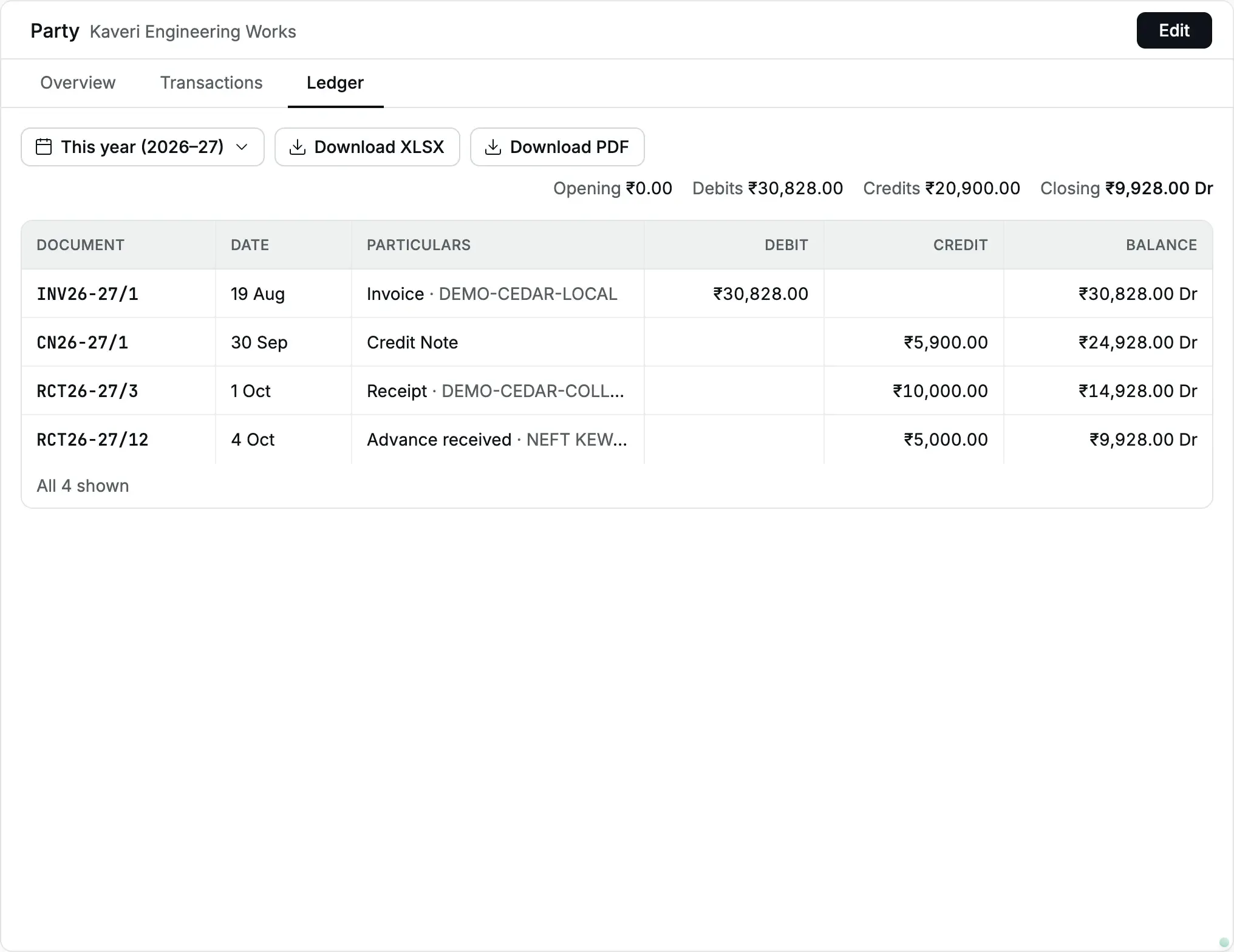
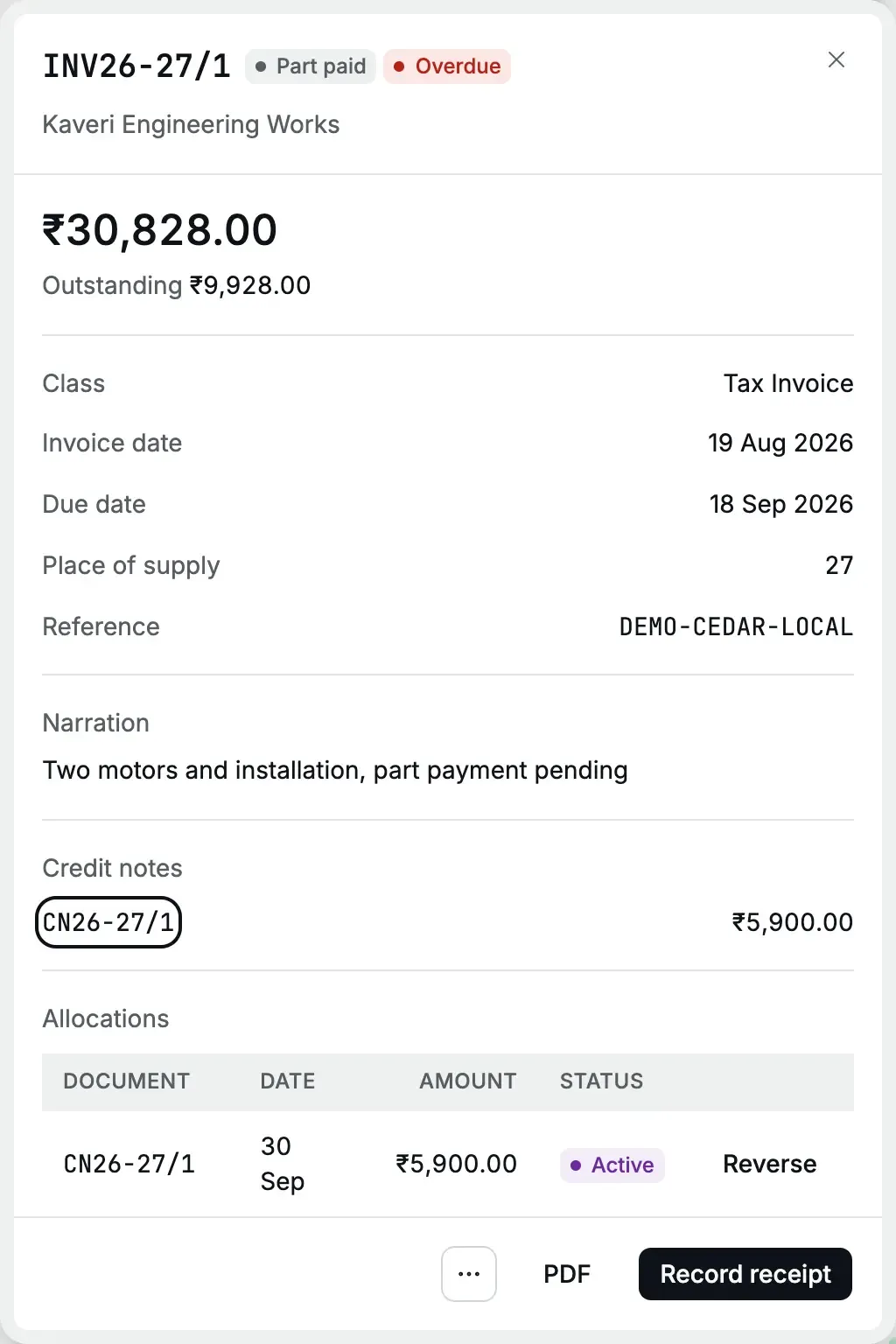
Priya opens Kaveri Engineering Works and its Ledger tab, which lists every entry for the party. The customer already owes ₹14,928.00 on invoice INV26-27/1 of 19 Aug 2026, which is overdue. Ravi recorded the money as an advance, so it does not yet reduce that invoice.
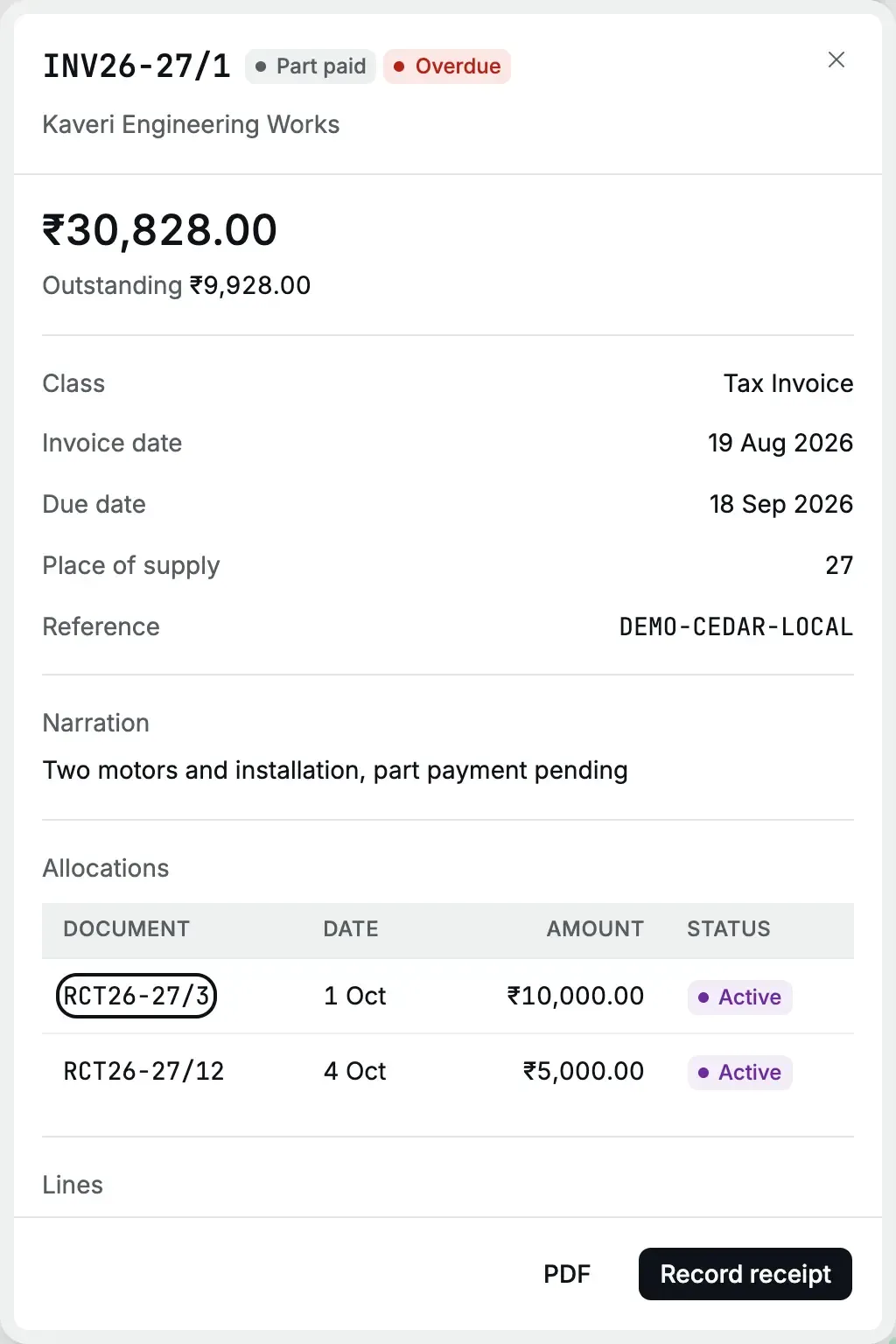
Ravi can open the invoice too, but his view has only Print, Download PDF and Record receipt: no ⋯ menu, no Apply credit, no Reverse.
6. Priya applies the advance
Priya confirms with Kaveri that the ₹5,000 is for the old invoice. She opens INV26-27/1, clicks ⋯ and then Apply credit. She chooses Receipt · RCT26-27/12 · NEFT KEW-0410 as the Credit. The Amount fills in as ₹5,000.00. She clicks Apply credit. This allocation sets the advance against the invoice.
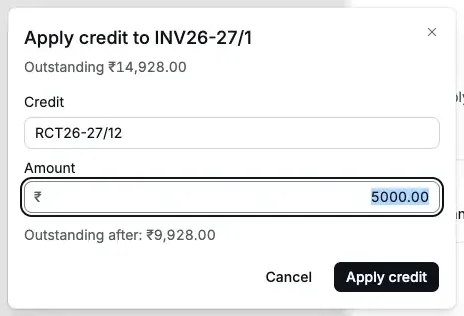
Edernal Books shows “Credit applied”. The advance moves off the advance account and settles the receivable, the amount the customer owes:
| Account | Debit | Credit |
|---|---|---|
| Customer Advances (Kaveri Engineering Works) | ₹5,000.00 | |
| Accounts Receivable (Kaveri Engineering Works) | ₹5,000.00 |
The result
| Before | After Ravi’s receipt | After Priya’s credit | |
|---|---|---|---|
| INV26-27/1 outstanding | ₹14,928.00 | ₹14,928.00 | ₹9,928.00 |
| Kaveri’s unapplied advance (credit) | ₹0.00 | ₹5,000.00 | ₹0.00 |
| Kaveri’s party balance | ₹14,928.00 Dr | ₹9,928.00 Dr | ₹9,928.00 Dr |
| Bank Account | +₹5,000.00 | no change |
The party balance changes only once, when the money arrives. Applying the credit only matches the money to the invoice.
7. Ada checks the audit log
At the end of the day, Ada opens Settings → Audit. She sees Member invited for Priya and Ravi, Receipt posted by Ravi Kumar for RCT26-27/12, and Amount applied by Priya Nair for ₹5,000.00.
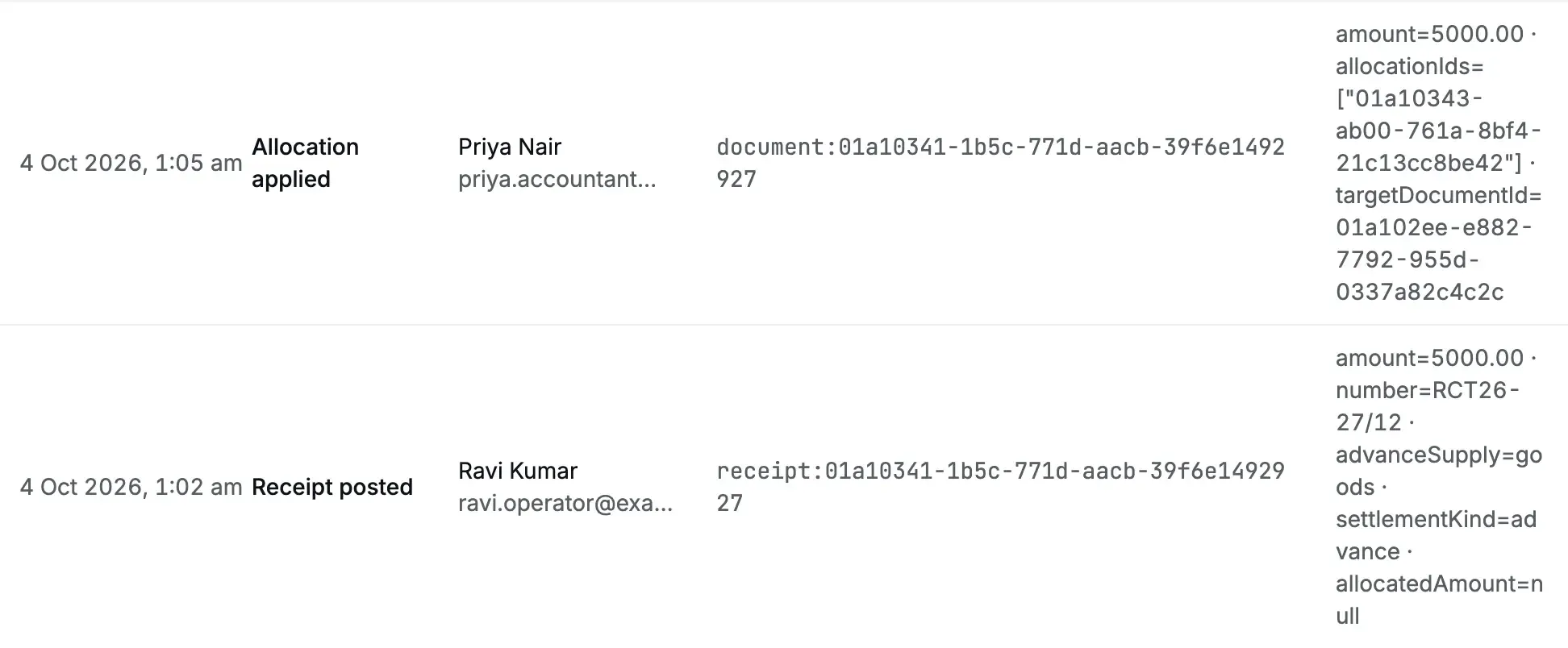
The log does not show when each of them joined. Ada checks that on Settings → Members, where both now appear as members with their roles.
If someone leaves
If Ravi leaves next year, Ada opens Settings → Members, clicks ⋯ on his row and then Remove from organization. His access ends at once. His receipts and his audit entries stay in the books. See Members and invitations.